
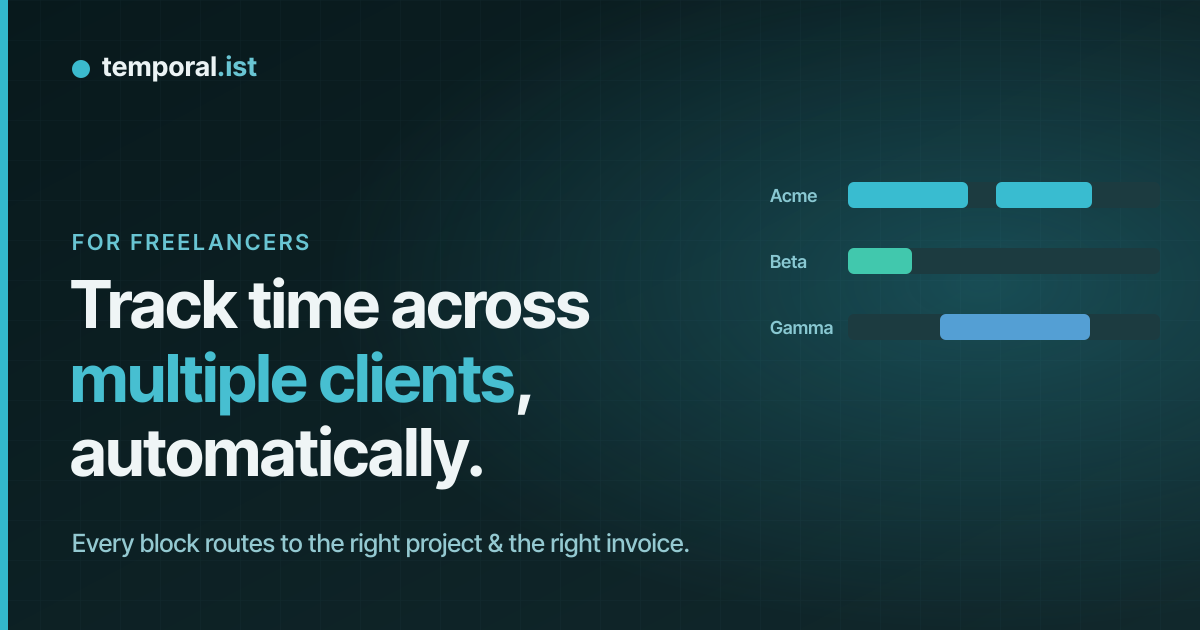
The multi-client problem
Solo freelancers rarely work one client at a time. A normal afternoon is Dunder Mifflin's
API for 40 minutes, a quick fix on Beta's site, an hour back on Dunder Mifflin, then a
call and some research for a new Gamma project. With a manual timer you'd be
starting and stopping four or five times an hour — and the moment you forget
once, two clients' time blurs together and someone gets mis-billed.
The fix isn't more discipline. It's making the project the thing that's
tracked, not the timer.
Step 1: give each client a project
Create one project per client (or per engagement, if a client has several).
Each project is where that client's time, totals, and invoices live. Projects
link to a client record and a rate, which is what makes per-client billing work
later.
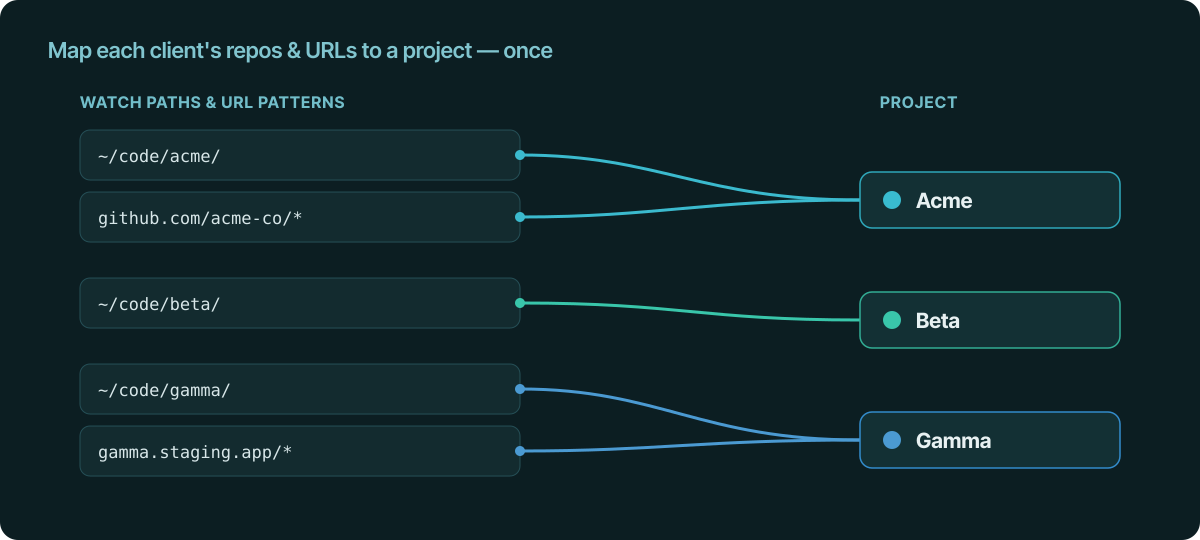
Step 2: map work to projects once
This is the setup that makes everything automatic. For each project, you define
what counts as that client's work:
- Watch paths. Point the desktop client (macOS, Windows, Linux) at the
directories for that client —~/code/dmi/to the Dunder Mifflin project,~/code/beta/
to the Beta project. Editing a file under a path routes that time to the right
project with no action from you. On a server, the Linux CLI does the same over
SSH. - URL patterns. In the browser extensions (Chrome, Firefox, Edge, Safari),
map URLs to projects:github.com/dmi-co/*and Dunder Mifflin's staging domain to
Dunder Mifflin; Beta's admin panel to Beta. Research and web-app work get routed too.
You do this once per client. After that, switching between them during the day
needs zero timer management — opening a different repo or tab starts the correct
session on its own.
Step 3: let the day route itself
Now the messy afternoon sorts itself out:
- You edit a file in
~/code/dmi/. A session opens on Dunder Mifflin. - You jump to Beta's site to check a bug. A separate session opens on Beta.
- You go back to Dunder Mifflin's repo. Dunder Mifflin picks up again.
- You break for a call. After the idle window (default 15 minutes with no
in-scope activity) the open session closes, so the gap isn't billed to
anyone.
Each block landed on the right client without you touching a stopwatch. If two
threads genuinely overlap and you want to be deliberate, pause/resume is one
click.
Step 4: see where the week actually went
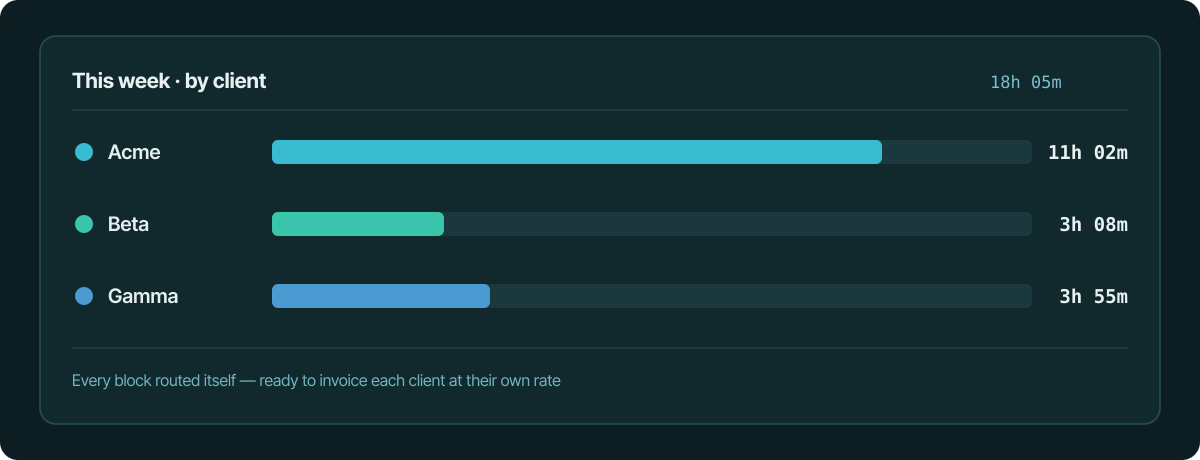
On the dashboard you get per-client and per-project totals, plus a calendar and
reports view. This is the part that's almost impossible to reconstruct by hand
across several clients: at a glance you can see Dunder Mifflin took 11 hours this week,
Beta took 3, and the new Gamma scoping ate an afternoon — before you've written
a single invoice.
Step 5: invoice each client separately
Because every session is already tagged to a project, and each project links to
a client and a rate, you generate a per-client invoice from exactly that
client's captured hours. No untangling a shared timesheet, no deciding after the
fact which of Tuesday's blocks were Dunder Mifflin's. Each client's line items come
straight from the time that routed to their project.
What it doesn't ask of you
No per-switch timer babysitting. No screenshots or keystroke logging — capture
is file paths and URLs, auditable in plain text. And if you're moving over from
a spreadsheet or another tracker, CSV import brings your existing per-client
history in so nothing is lost.
The takeaway
Multi-client tracking breaks when it depends on you remembering which timer is
running. Map each client's repos and URLs to a project once, let the right
session start itself as you move between them, and bill each client from the
hours that already routed to them. The afternoon can be as fragmented as it
really is — the timesheet stays clean.
See also
- track billable hours without a timer — Capture billable hours automatically from file edits and URLs.
- automatic time tracking for developers — Tracks coding time across any editor, no plugin needed.
- file-change time tracking — Why file changes beat activity monitors for per-project context.
- automatic time tracking — The timesheet that writes itself while you work.
- billable hours calculator — Calculate the billable hours your timesheet misses.