
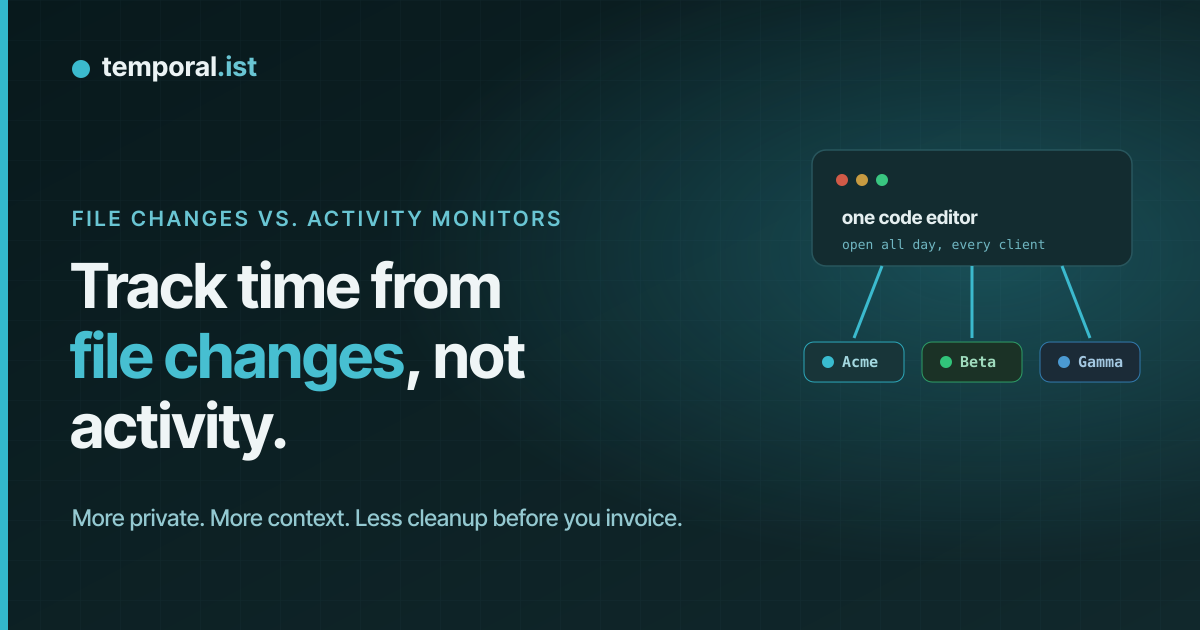
"Automatic time tracker" splits into two very different designs. One watches
your machine — which application is in the foreground, which window has the
title bar, how long since you moved the mouse, and in some products a screenshot
every few minutes. The other watches your work — the files you save in the
folders you nominated, and the URLs you visit that match patterns you set.
Both can fill a timesheet without you starting a timer. But they record
different things, and that difference decides how private the tool is, how much
context survives, and how much manual work stands between you and an invoice.
One app, many projects — the context an app log can't keep
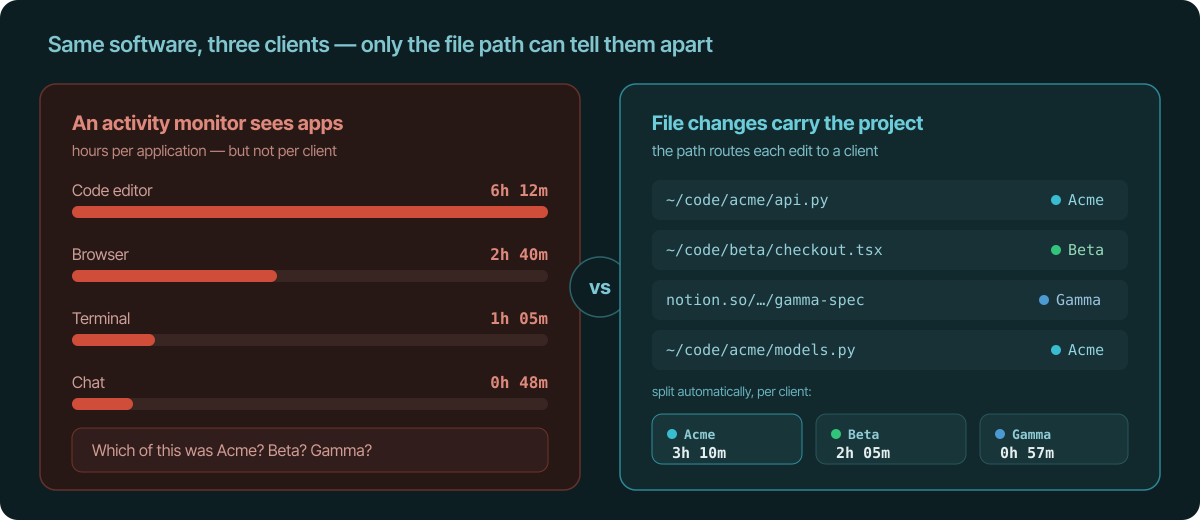
Here's the problem an activity monitor can't solve: you do most of your work in
the same few tools. The same code editor, the same browser, the same terminal,
all day, across every client. So an app-level log tells you "code editor: 6h
12m" — a number you cannot bill, because it doesn't know whether those hours
were Dunder Mifflin, Beta, or Gamma. The context you actually need for an invoice is
exactly the context that app-level monitoring throws away.
A file change carries that context for free. ~/code/dmi/api.py is Dunder Mifflin;
~/code/beta/checkout.tsx is Beta. The path is the project. Map each watched
folder (and each URL pattern) to a project once, and every edit routes itself to
the right client with no app in the world able to confuse them.
This is the whole game for anyone who bills more than one client with the same
toolkit. App-level time forces you to reconstruct which client each block
belonged to from memory — the exact guesswork automatic tracking was supposed to
remove. Path-level time never loses the thread.
It only sees what you point it at — the privacy difference
To know which app is in the foreground, a monitor has to watch every app in
the foreground — including your password manager, your bank, the message to your
partner, the job-search tab at 14:30, and whatever's on screen when it takes its
periodic screenshot. Accuracy and surveillance got bundled together, but they
were never the same feature.
File-change tracking inverts the default. It watches the folders and URL
patterns you explicitly listed, and nothing else exists to it. Point it at
~/code/dmi and github.com/dmi-co/*; everything outside that is never seen,
because there was never a reason to look.
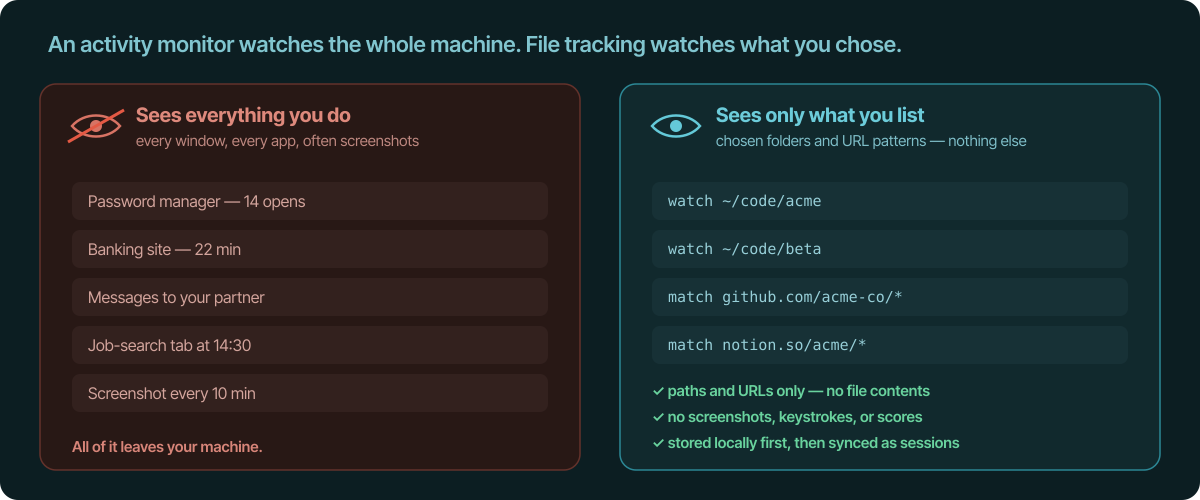
The record is also readable. What gets captured is a file path and a URL — no
keystroke log, no "productivity score", no file contents, no screen. In
Temporal.ist that activity is written to a local SQLite database first, and only
the resulting sessions sync to the backend so teams and invoicing work. If you
can't read exactly what a tracker recorded about you, you can't trust it; this
is the opposite default.
No cleanup before the invoice — the automation difference
"Automatic" should mean the work is done, not that the capture is done and the
sorting is still yours. With an activity-monitor log, the timesheet is raw: every
weekend you filter out what wasn't billable, decide which client each block
belonged to (from memory, again), then export it somewhere that can actually
make an invoice. The capture was automatic; the part that takes your Sunday
wasn't.
Because file changes arrive already attached to a project — and projects link to
clients and rates — there's nothing to sort. The sessions are the line items.
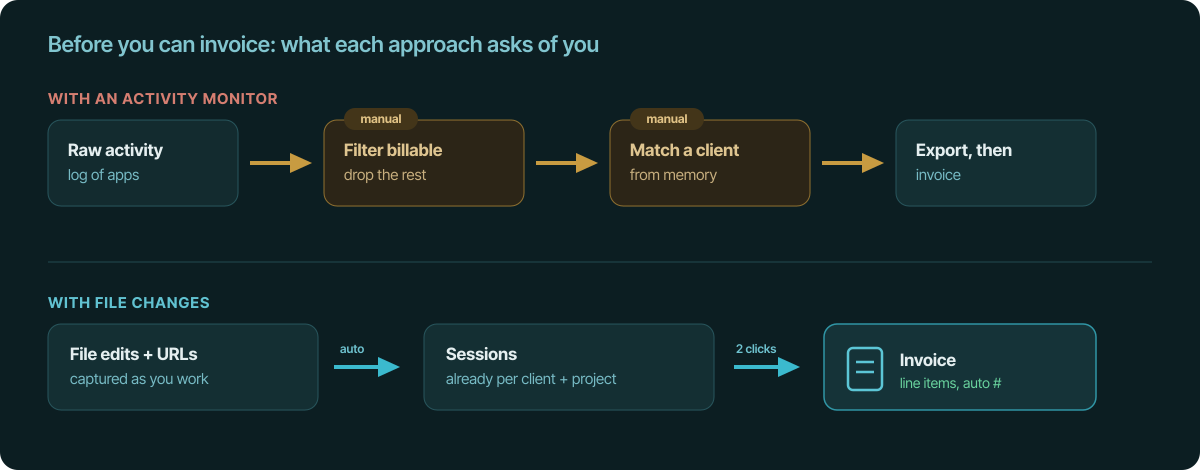
In Temporal.ist that means tracked sessions become invoice line items in the
same tool, with auto-numbered invoices (ORG-YYYYMM-XXXX) and export to
PDF, CSV or JSON. Idle time — no in-scope file activity for a configurable
window, 15 minutes by default — auto-closes a session, so breaks aren't billed
and you didn't have to trim them by hand.
When an activity monitor is the right tool
To be fair: if your job is to prove activity to a client or employer —
screenshots as evidence, per-window breakdowns, idle-as-proof — then dedicated
monitoring tools like Hubstaff, Time Doctor, or Insightful are built for exactly
that and do it well. File-change capture deliberately can't produce that
evidence. It's the wrong tool for a surveillance mandate, on purpose. It's built
for people who want an accurate, billable timesheet, not a watched one.
The takeaway
An activity monitor answers "which apps did this person have open?" A
file-change tracker answers "what did I work on, for which client, and for how
long?" — which is the question a timesheet exists to answer. You get the
per-project context an app log can't keep, a record that only ever saw the
folders you chose, and a timesheet that becomes an invoice without a cleanup
step. Track from the work, not the window.
See also
- No-surveillance time tracking — Log accurate hours without monitoring or screenshots.
- What the time tracker collects — Field-by-field disclosure of exactly what syncs to the server.
- No-screenshot time tracker — Automatic tracking that never captures your screen.
- Automatic time tracking for developers — Tracks file changes in any editor, no plugin.
- See where your time goes — Turn captured activity into per-project clarity.