
Comparison
Temporal.ist vs Clockify: Automatic, Private Time Tracking
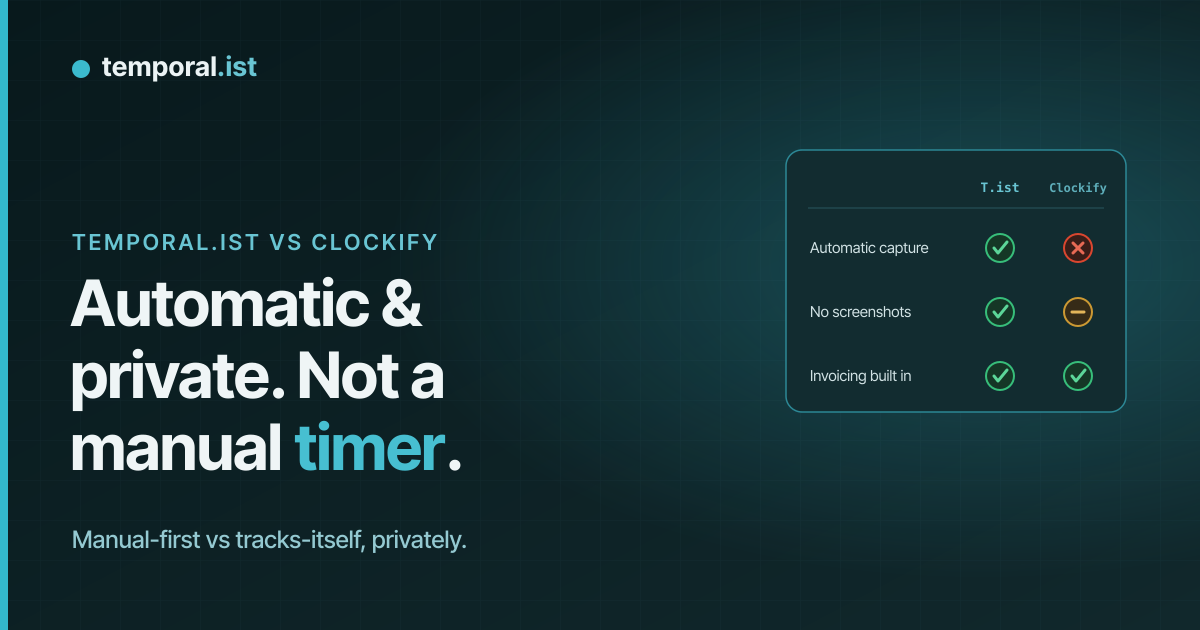
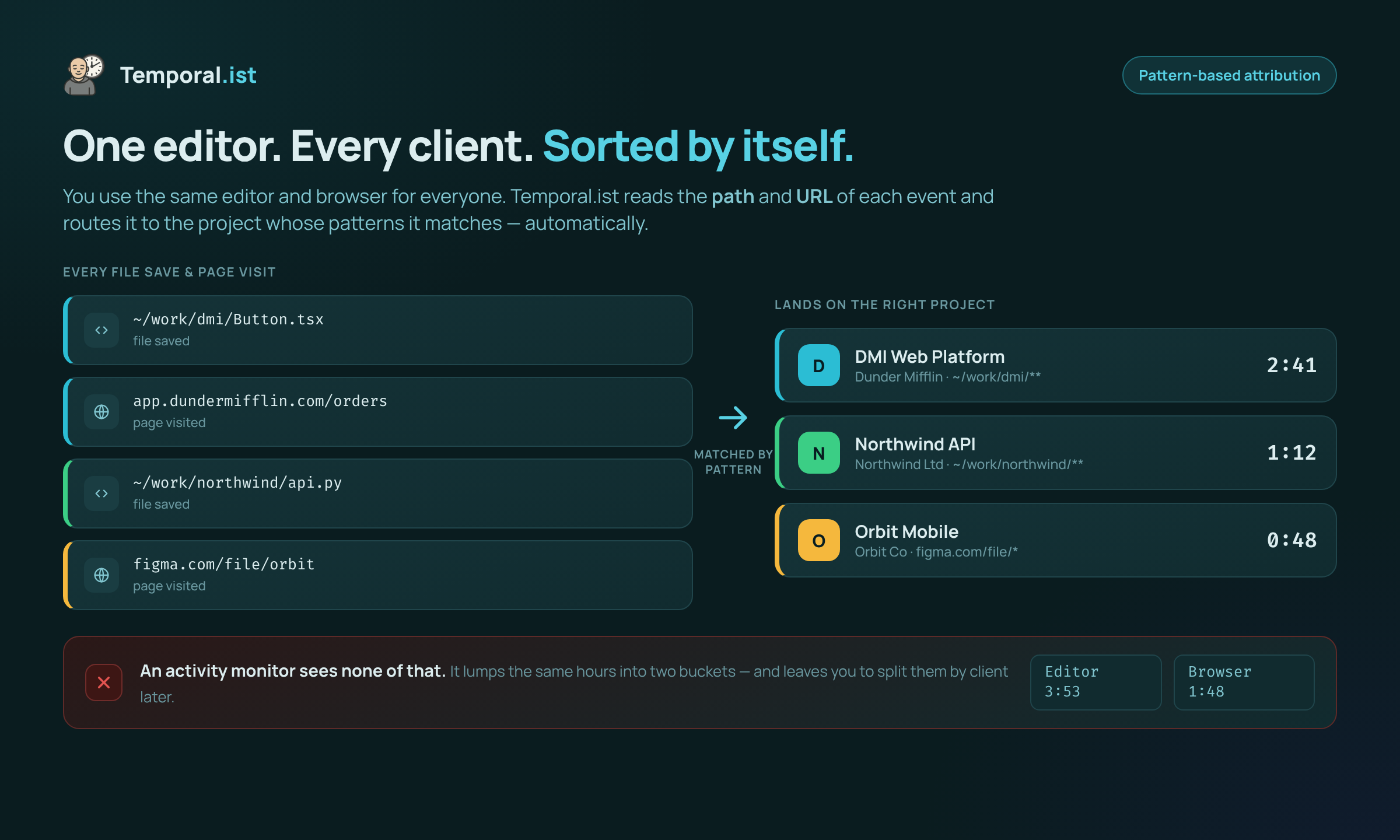
- Temporal.ist tracks automatically by matching file paths and URLs to projects — no timer, no screenshots, no productivity scoring. Clockify is manual-first and can optionally surveil with screenshots and GPS.
- Clockify is cheaper at scale and far more mature: ~7M registered users, huge feature breadth, native mobile apps, scheduling, payroll, and dozens of integrations.
- Choose Temporal.ist for private, automatic dev/freelance tracking with built-in invoicing; choose Clockify for teams wanting low-cost timesheets, mobile, and a big ecosystem.
Clockify and Temporal.ist both track time and invoice clients, but they start from opposite philosophies. Clockify is a mature, very affordable manual timer with a huge feature set — plus an optional Auto Tracker and screenshots that make it surveillance-capable. Temporal.ist is a newer, privacy-first tool that tracks automatically by matching file changes and URLs to projects, and never takes screenshots or scores productivity. This is an honest look at where each one genuinely wins.
Feature-by-feature
| Feature | Temporal.ist | Clockify |
|---|---|---|
Automatic time tracking (mechanism) We win | Automatic by default — matches file paths (desktop) and URL patterns (browser) to projects; no timer to start | Manual timer is the core; an optional desktop Auto Tracker passively logs apps/windows and websites (app-based, not file-based) |
Screenshots & employee monitoring We win | Never — no screenshots, no keystroke logging, no activity or productivity scoring | Optional screenshots, GPS, and activity rates on Pro ($7.99/seat/mo) — surveillance-capable |
Built-in invoicing Tie | Yes — per-client rates, currencies, tax, PDF export, auto-numbering (ORG-YYYYMM-XXXX), draft/sent/paid/overdue | Yes — from the Standard plan ($5.49/seat/mo) |
Integrations & ecosystem They win | Few — newer ecosystem (browser extensions, desktop client, public v1 API) | Large — dozens of integrations (Jira, Asana, GitHub, Trello, QuickBooks, and more) |
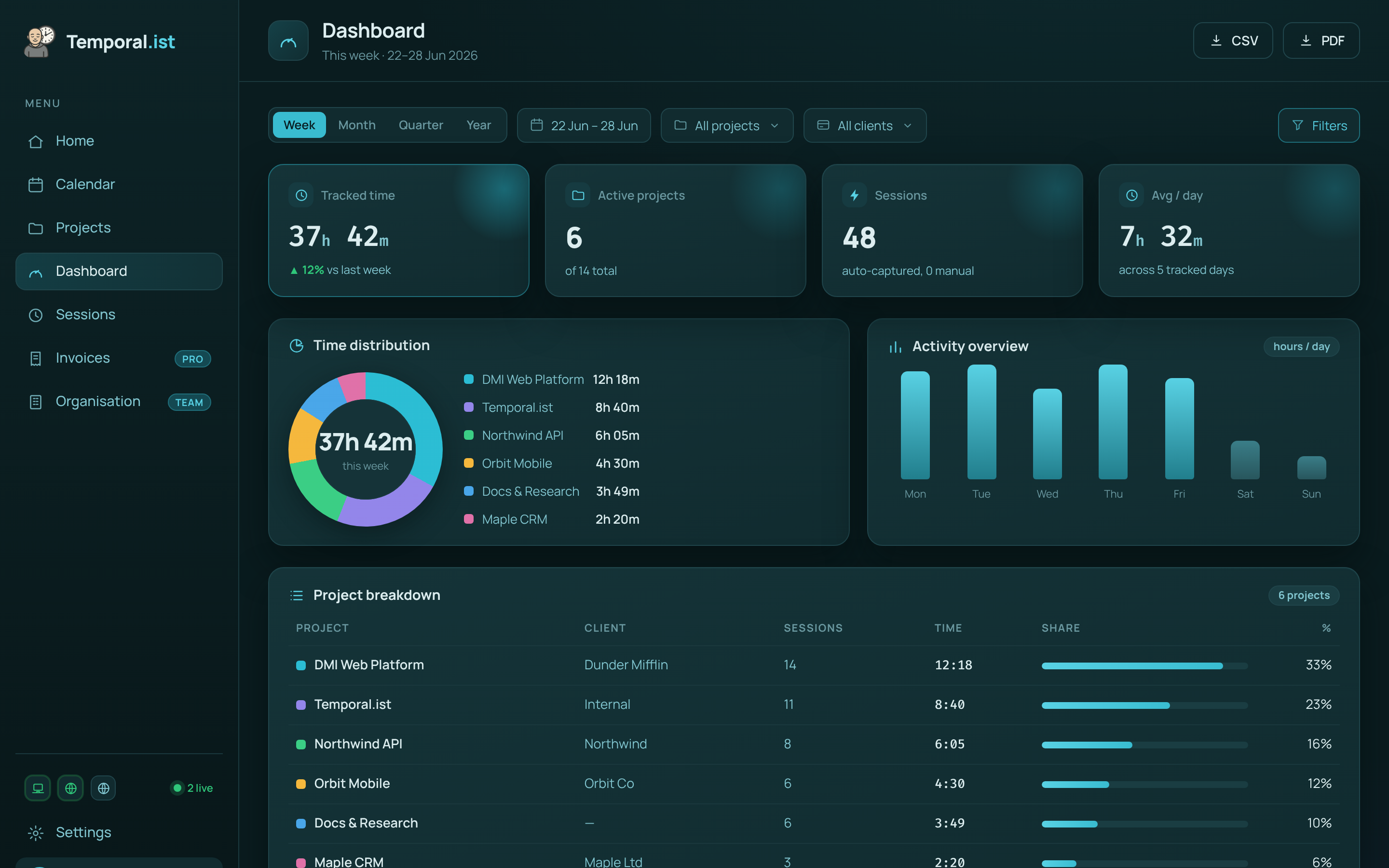
Reporting & analytics They win | Time-distribution donut, activity bars, project breakdowns, daily timesheets, CSV/PDF reports | Deeper reporting, scheduled exports, approvals, custom dashboards, plus payroll & scheduling |
Pricing They win | Free Solo tier forever; paid Pro & Teams plans (prices not yet public) | Free $0; Basic $3.99; Standard $5.49; Pro $7.99; Enterprise $11.99 (per seat/mo, billed annually) |
Free plan Tie | Solo free forever — unlimited folders, no credit card | Very generous free plan — unlimited users & projects (4M+ users on free) |
Platforms Tie | Desktop (Windows/macOS/Linux/AppImage, self-updating), 4 browser extensions, web dashboard, headless CLI/TUI | Web, desktop, browser extension, plus native iOS & Android apps |
Mobile apps They win | None yet | Native iOS & Android apps |
Privacy & data residency We win | EU data residency, GDPR-aligned, one-click export + full delete; stores only timestamps + file/URL, never contents | Cloud-based; monitoring features available, so privacy depends on admin configuration |
Maturity & scale They win | Newer, solo-bootstrapped indie product with a smaller ecosystem | Established product with ~7M registered users and broad enterprise adoption |
When to choose which
Choose Temporal.ist
Choose Temporal.ist if you bill knowledge work — code, writing, design, research — and you don't want to remember to start a timer. It attributes time automatically by matching the files you edit and the URLs you visit to the right project and client, then turns those billable sessions into invoices without leaving the app. It's the better fit when privacy is non-negotiable: no screenshots, no keystroke logging, and no productivity scores — only timestamps plus which file or URL, backed by EU data residency, GDPR alignment, and one-click export or full delete. It also shines for developers and freelancers who want desktop coverage across Windows, macOS, Linux and AppImage, browser extensions on every major browser, and even a headless Linux CLI/TUI — all working offline and syncing later.
Choose Clockify
Choose Clockify if you want a proven, low-cost timesheet platform with the broadest feature set. With around 7 million registered users it is far more mature than Temporal.ist, its free plan is famously generous (unlimited users and projects), and its paid tiers are inexpensive at scale — Basic at $3.99, Standard at $5.49, Pro at $7.99, and Enterprise at $11.99 per seat per month billed annually. It's the stronger pick if you need native iOS and Android apps, dozens of integrations with tools like Jira, Asana and QuickBooks, scheduling and payroll, approval workflows, or — for teams that genuinely require it — optional screenshots and GPS monitoring. If your team is comfortable starting timers manually and values ecosystem breadth and mobile over automatic, privacy-first tracking, Clockify is hard to beat on price and depth.
Side-by-side
Frequently asked questions
Is Temporal.ist a good Clockify alternative?
Yes — especially for developers and freelancers who want time tracked automatically and privately. Temporal.ist matches file changes and URLs to projects instead of relying on a manual timer, and it never takes screenshots. Clockify remains the better choice if you need mobile apps, many integrations, or the cheapest per-seat pricing at scale.
Does Temporal.ist take screenshots or monitor activity like Clockify?
No. Temporal.ist never takes screenshots, never logs keystrokes, and never assigns productivity scores. It stores only timestamps and which file or URL was active — never file contents. Clockify can optionally enable screenshots, GPS, and activity rates on its Pro plan ($7.99/seat/mo), so it is surveillance-capable; Temporal.ist is private by design.
Does Clockify track time automatically?
Partly. Clockify is manual-first — the core is a timer and timesheets you start yourself. Its desktop Auto Tracker can passively record which apps, windows, and websites you use, but that is app- and window-based, not file-based, and you still assign the time. Temporal.ist tracks automatically by matching file paths and URL patterns directly to projects.
Can I import my data from Clockify into Temporal.ist?
There is no one-click Clockify importer today. Temporal.ist offers a public v1 API and supports manual entry and editable sessions, so historical time can be recreated, but expect to set up projects and tracking patterns fresh. If seamless migration of years of timesheets is critical, factor that in before switching.
Is Temporal.ist cheaper than Clockify?
Both have a free plan. Temporal.ist's Solo tier is free forever with unlimited folders and no credit card, alongside paid Pro and Teams plans (prices not yet public). Clockify's paid tiers are verified at $3.99 (Basic), $5.49 (Standard), $7.99 (Pro), and $11.99 (Enterprise) per seat per month billed annually. For large teams Clockify is often cheaper; for a privacy-first solo or small setup, Temporal.ist's free Solo plan is very competitive.
What does Clockify do better than Temporal.ist?
Clockify is more mature and broader. It has roughly 7 million registered users, native iOS and Android apps, dozens of integrations, scheduling, payroll, approval workflows, and deeper reporting. Temporal.ist is a newer, solo-bootstrapped product with fewer integrations and no mobile app yet, so if ecosystem breadth and mobile matter most, Clockify wins.
Ready to stop reconstructing your week?
Track time automatically. Bill clients in the same tool. No surveillance, ever.
Start tracking free