
Comparison
Temporal.ist vs RescueTime: Billing vs Productivity
- RescueTime automatically monitors apps and websites to score your personal productivity; Temporal.ist tracks file changes and URL patterns to bill projects and clients. Different jobs.
- Temporal.ist adds built-in invoicing, per-client rates, and a free Solo tier; RescueTime has no invoicing and no free plan, only a 14-day trial.
- Choose RescueTime for distraction blocking and focus analytics; choose Temporal.ist for freelance and agency billing, EU data residency, and no productivity scoring.
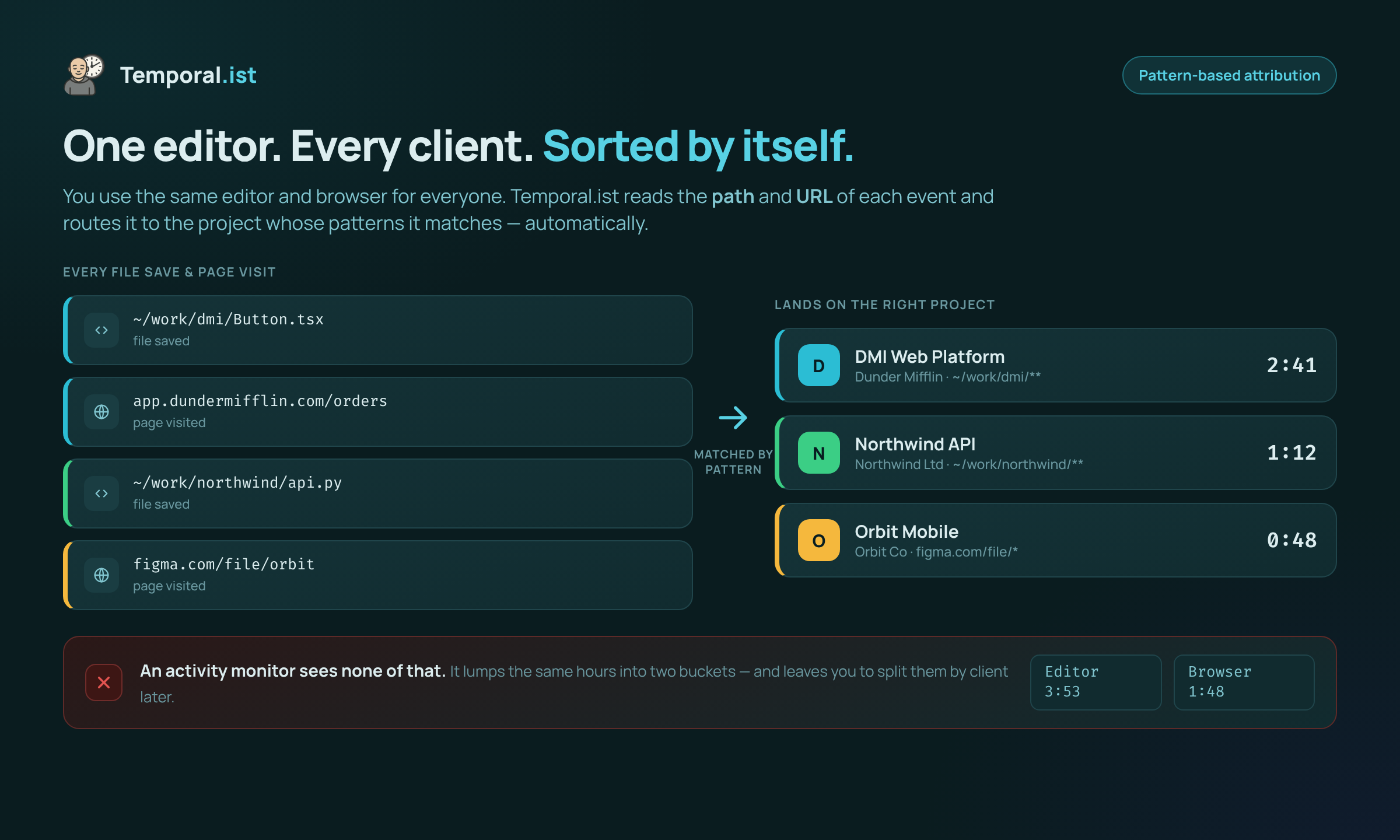
RescueTime and Temporal.ist both track your time automatically, but they answer different questions. RescueTime watches which apps, websites, and active windows you use and turns that into a personal productivity score with focus sessions and distraction blocking; Temporal.ist matches file changes and URL patterns to projects so you can bill clients and generate invoices. This comparison is honest about where each one genuinely wins.
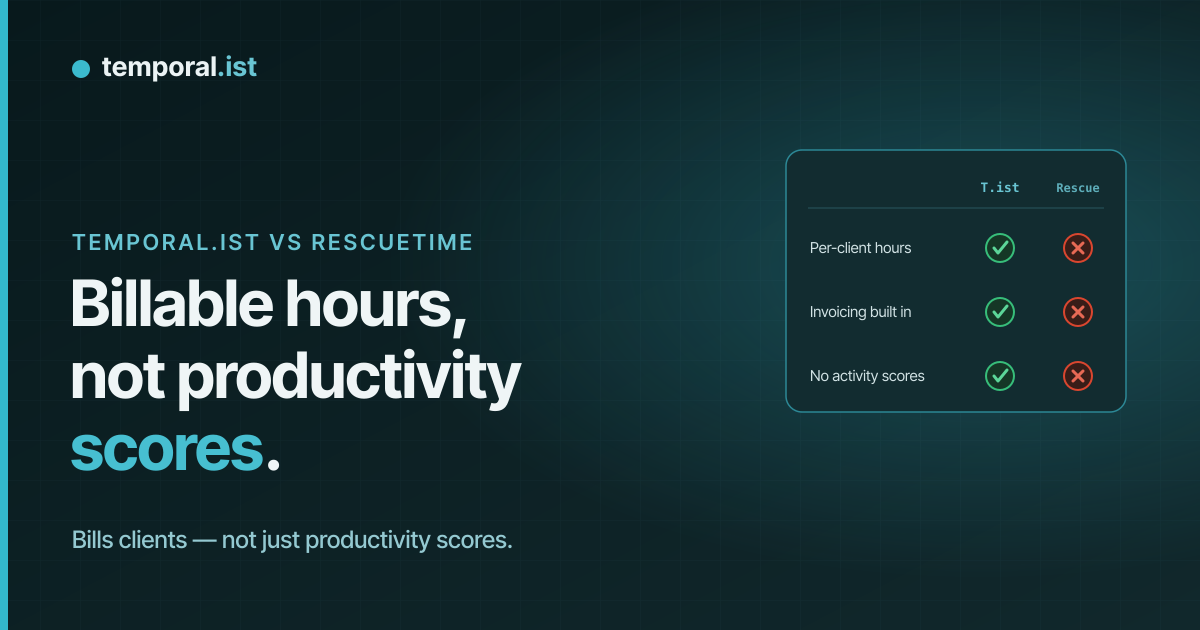
Feature-by-feature
| Feature | Temporal.ist | RescueTime |
|---|---|---|
Automatic time tracking (mechanism) Tie | Yes — file changes + URL patterns mapped to projects/clients | Yes — apps, websites & active window with AI categorization |
Primary use case | Billable project & client time tracking | Personal productivity, focus & distraction control |
Screenshots / keystroke logging Tie | Never — timestamps + file/URL only | Never |
Productivity score & distraction blocking They win | No — no scoring by design | Yes — productivity score, focus sessions, blocking |
Built-in invoicing We win | Yes — rates, currencies, tax, PDF, auto-numbering | No |
Per-client rates & billable tracking We win | Yes — projects linked to clients | No |
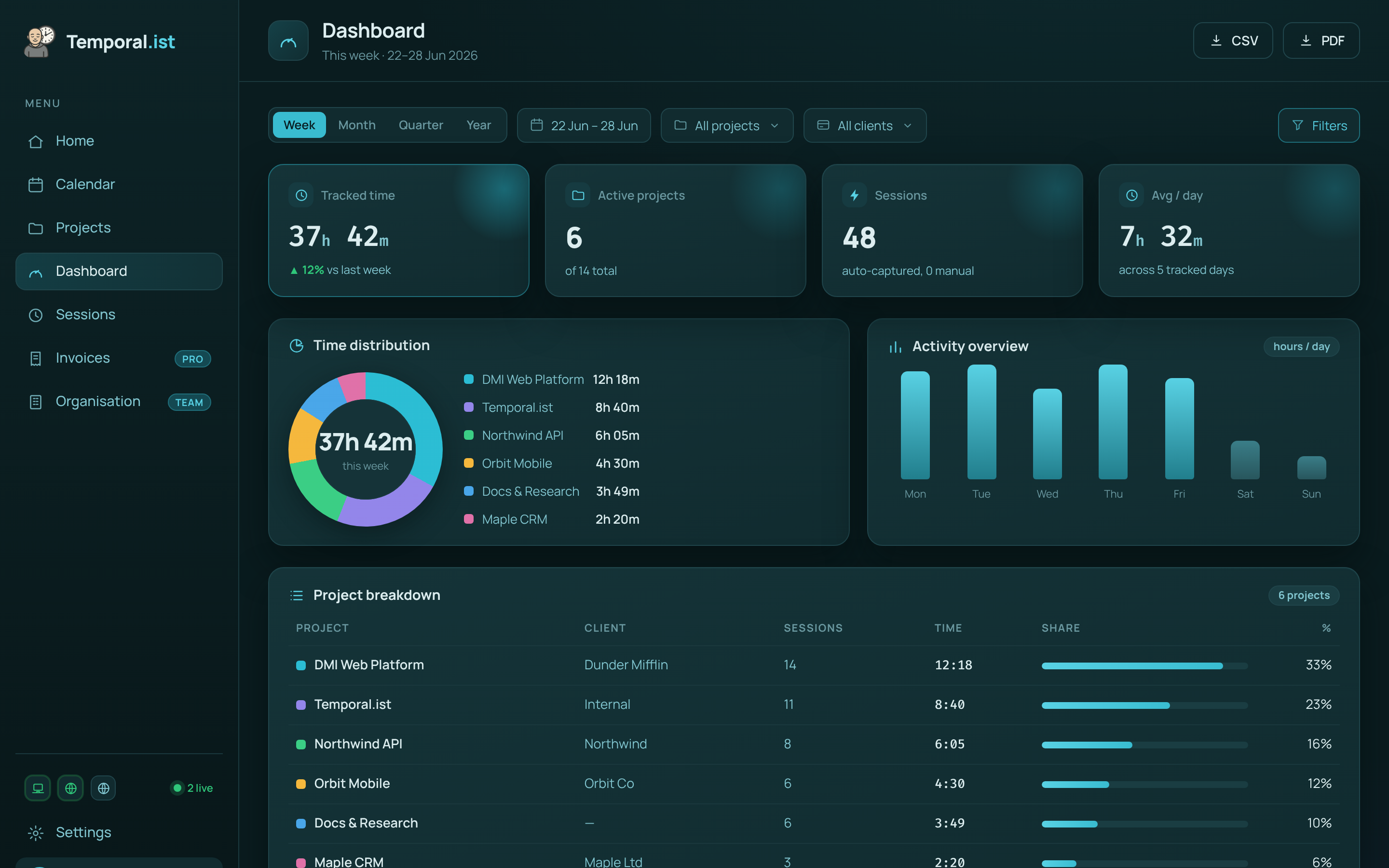
Reporting & analytics Tie | Timesheets, project breakdowns, donut/bar charts, CSV/PDF | Deep productivity dashboards, trends & weekly reports |
Privacy & data residency We win | EU residency, GDPR-aligned, one-click export + full delete | US-based; GDPR-compliant |
Works offline We win | Yes — local SQLite, syncs later | Limited — relies on its monitoring service |
Integrations They win | Fewer — newer, solo-bootstrapped product | Many — Google Calendar, Slack, Office 365 & more |
Platforms & mobile apps They win | Win/macOS/Linux/AppImage, browser extensions, web, CLI/TUI — no mobile yet | Win/macOS/Linux + browser extensions + mobile apps |
Pricing & free plan We win | Free Solo tier (unlimited folders, no credit card); paid Pro & Teams | No free plan — 14-day trial, then ~$7/mo billed annually ($84/yr) or $9 monthly |
When to choose which
Choose Temporal.ist
Choose Temporal.ist if you bill for your time. It automatically attributes hours to the right project and client by matching file paths and URL patterns, then turns those billable sessions into invoices with per-client rates, currencies, tax, auto-numbering, and PDF export — something RescueTime simply doesn't do. You also get a genuinely free Solo tier (unlimited folders, no credit card), EU data residency with one-click export and full delete, editable sessions, offline tracking, and no productivity scoring or surveillance. It's ideal for freelancers, agencies, and small teams who want accurate, client-ready time records rather than a personal productivity grade.
Choose RescueTime
Choose RescueTime if your goal is personal productivity rather than billing. It has spent years refining automatic app, website, and window monitoring with AI categorization, a productivity score, focus sessions, and distraction blocking — features Temporal.ist deliberately doesn't have. RescueTime is also more mature, with 2M+ users, a wider set of integrations like Google Calendar, Slack, and Office 365, and native mobile apps for tracking on the go, which Temporal.ist lacks today. If you mainly want to understand and improve how you spend your day, and you don't need invoicing or client billing, RescueTime is the better fit.
Side-by-side
Frequently asked questions
Is Temporal.ist a good RescueTime alternative?
It depends on what you need. If you want to bill clients and send invoices, Temporal.ist is a strong alternative because it adds project/client attribution and built-in invoicing that RescueTime lacks. If you mainly want a productivity score and distraction blocking, RescueTime is purpose-built for that and Temporal.ist intentionally isn't.
Does Temporal.ist take screenshots or score my productivity like RescueTime?
Neither tool takes screenshots. The difference is scoring: RescueTime categorizes your apps and assigns a productivity score with distraction alerts. Temporal.ist does no productivity scoring at all — it only records timestamps and which file or URL you worked on, never file contents.
Does RescueTime track time automatically?
Yes. RescueTime automatically monitors the apps, websites, and active window you use and categorizes them. Temporal.ist also tracks automatically, but it matches file changes and URL patterns to specific projects and clients for billing, rather than scoring focus.
Can I invoice clients with RescueTime?
No. RescueTime has no invoicing or billable-rate features; it's a personal-productivity tool. Temporal.ist includes built-in invoicing with per-client rates, currencies, tax, PDF export, and auto-numbering, so billable sessions become invoices directly.
Is Temporal.ist cheaper than RescueTime?
Temporal.ist has a free Solo tier (unlimited folders, no credit card) plus paid Pro and Teams plans, so you can start at no cost. RescueTime has no free plan — just a 14-day trial, then about $7/month billed annually ($84/year) or $9 monthly.
Can I import my data from RescueTime?
There's no one-click RescueTime importer today. Because the tools track different things — RescueTime logs app and productivity data while Temporal.ist tracks billable project time — most people simply start fresh in Temporal.ist. You can export your data from either tool at any time.
Ready to stop reconstructing your week?
Track time automatically. Bill clients in the same tool. No surveillance, ever.
Start tracking free