
Comparison
Temporal.ist vs Toggl Track: Automatic Tracking & Invoicing
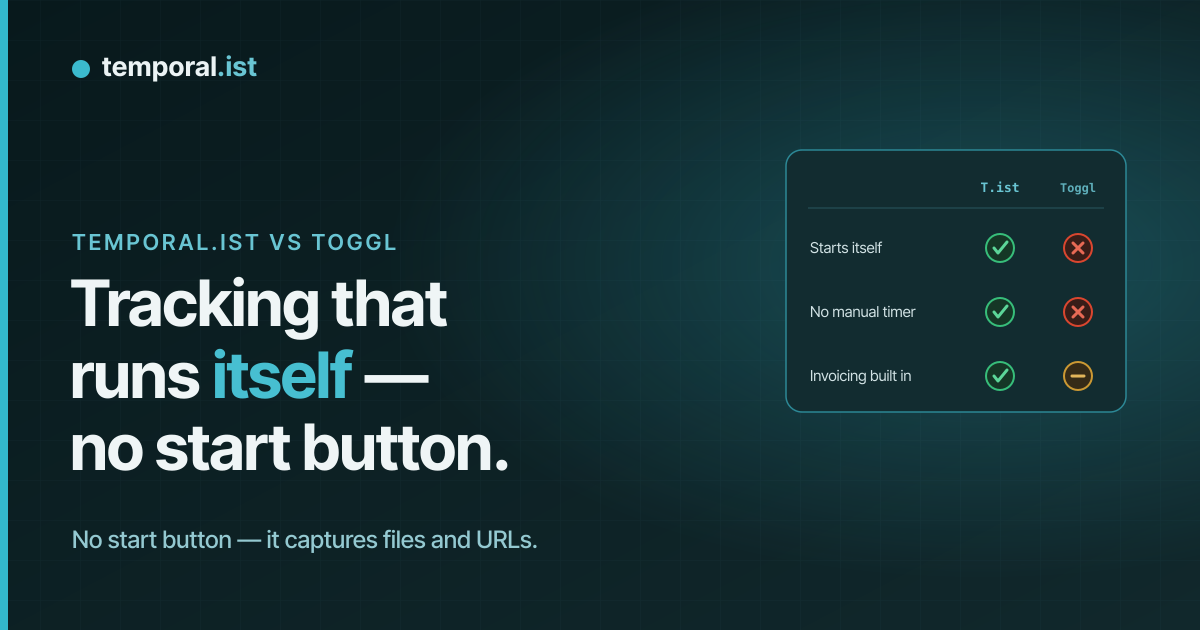
- Temporal.ist tracks automatically from file changes and URL patterns, then turns billable sessions into invoices in-app; Toggl Track is manual-first with no built-in invoicing.
- Toggl is the safer pick if you need 100+ native integrations, native iOS and Android apps, and the deepest reporting plus profitability analytics.
- Both refuse screenshots and keystroke logging. Temporal.ist has a free-forever Solo tier; Toggl's Free plan covers up to 5 users.
Toggl Track is one of the most mature time trackers around, with millions of users, 100+ integrations and excellent reporting — but its core is a manual one-click timer, and its optional, opt-in desktop Autotracker watches which apps and windows you use, not your actual work files. Temporal.ist takes a different approach: a desktop client watches file changes in the folders you choose and browser extensions match URL patterns, so time is attributed to the right project and client without you starting a timer (manual entry is still there when you want it). This is an honest look at where each tool wins, written by the Temporal.ist team — including where Toggl is the better choice.
Feature-by-feature
| Feature | Temporal.ist | Toggl Track |
|---|---|---|
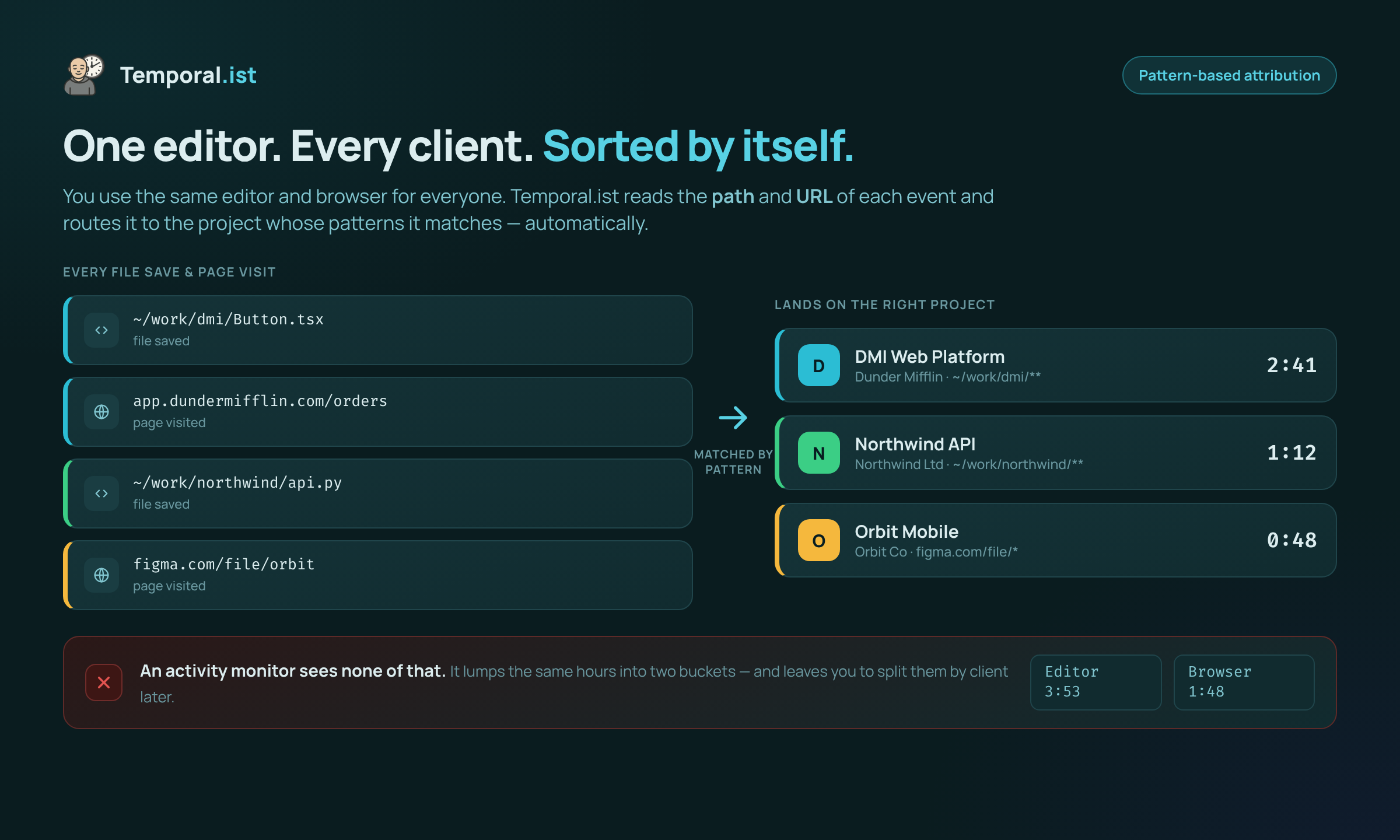
Automatic tracking mechanism We win | Yes — desktop watches file changes; browser extensions match URL patterns; time attributed to project/client automatically | Optional, opt-in desktop Autotracker records which apps/websites you use (app/window monitoring, not file-based) |
Manual timers / entry They win | Supported via manual entry, but not the primary model | Core feature — polished one-click start/stop timers across web, desktop and mobile |
Screenshots & keystroke logging Tie | Never — no screenshots, no keystrokes, no productivity scoring | None — explicit anti-surveillance policy, no screenshots |
Built-in invoicing We win | Yes — per-client rates, currencies, tax, PDF export, auto-numbering, draft/sent/paid/overdue statuses | Not built in — only via integrations or Toggl's separate products |
Integrations They win | Fewer and newer — smaller ecosystem, no large third-party integration catalog yet | 100+ native integrations (Asana, Jira, Salesforce, Notion and more) |
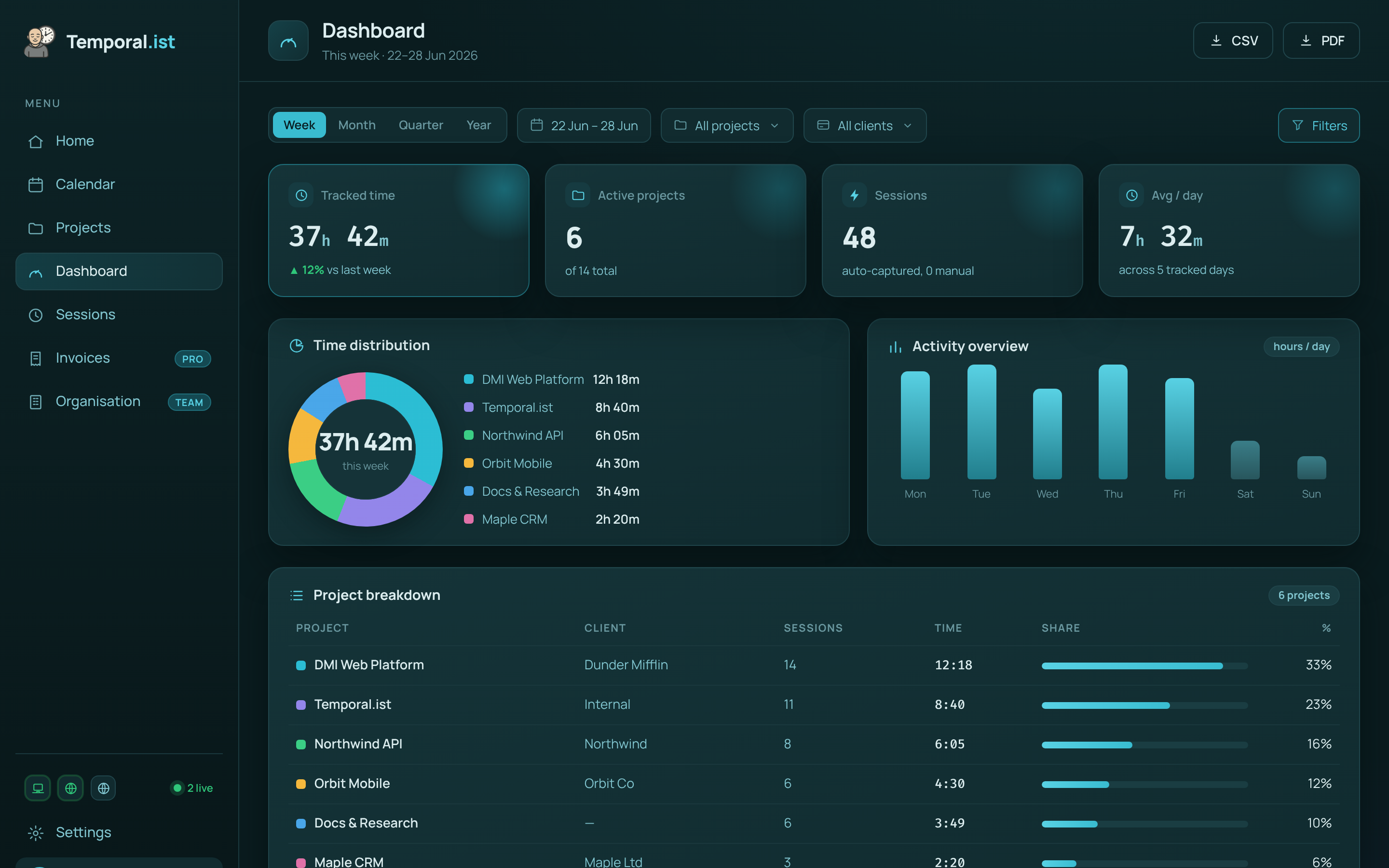
Reporting & analytics They win | Time-distribution donut, activity bars, project breakdowns, daily timesheets, CSV/PDF reports | Best-in-class reporting plus profitability analysis |
Mobile apps They win | None yet — desktop, browser, web and CLI only | Native iOS and Android apps |
Platforms Tie | Windows, macOS, Linux, AppImage desktop + Chrome/Edge/Firefox/Safari + web + headless Linux CLI/TUI | Web, desktop, mobile and browser extensions |
Offline support Tie | Full — local SQLite, works offline and syncs later | Offline timers on desktop/mobile that sync when reconnected |
Privacy & data residency We win | EU data residency, GDPR-aligned, one-click export and full delete; stores only timestamps + file/URL, never file contents | Privacy-respecting, no surveillance, GDPR compliant |
Free plan Tie | Solo plan free forever — unlimited folders, no credit card (single user) | Free for up to 5 users |
Paid pricing | Free Solo tier; paid Pro & Teams plans | Starter $9/user/mo annual ($10 monthly); Premium $18/user/mo annual ($20 monthly); Enterprise custom |
When to choose which
Choose Temporal.ist
Choose Temporal.ist if you want time to track itself. Because the desktop client watches file changes in the folders you pick and the browser extensions match URL patterns, sessions are attributed to the right project and client without you remembering to start a timer — ideal for developers, designers, writers and consultants who live in their editor or browser. It is also the better fit if invoicing matters: billable sessions become PDF invoices in-app with per-client rates, currencies, tax, auto-numbering and draft/sent/paid/overdue statuses, so you do not need a separate billing product or integration. Add EU data residency, one-click export and full delete, a genuine headless Linux CLI/TUI, full offline support that syncs later, and a free-forever Solo tier with unlimited folders, and it is a strong pick for privacy-conscious solo professionals and small teams who bill by the hour.
Choose Toggl Track
Choose Toggl Track if maturity and breadth matter more than automatic capture. With roughly 5 million users and 70,000 teams, it has years of refinement behind it, 100+ native integrations (Asana, Jira, Salesforce, Notion and more), and reporting that is genuinely best-in-class — including profitability analysis that Temporal.ist does not match. If your team needs native iOS and Android apps to track on the go, that alone can be the deciding factor, since Temporal.ist has no mobile app yet. Toggl is also the safer choice if you prefer the discipline of explicit manual timers, want a free plan that already covers up to five users, or need an established vendor with a deep integration catalog and a large support ecosystem to slot into existing workflows. In short: pick Toggl when you value a proven, widely integrated platform with mobile and elite reporting over file- and URL-based automatic tracking and built-in invoicing.
Side-by-side
Frequently asked questions
Is Temporal.ist a good Toggl Track alternative?
Yes, especially if you want tracking to happen automatically and you bill clients. Temporal.ist attributes time from file changes and URL patterns and has invoicing built in. Toggl Track remains stronger on integrations, reporting depth and mobile apps, so the right choice depends on which of those matters more to you.
Does Temporal.ist take screenshots like some monitoring tools?
No. Temporal.ist never takes screenshots, never logs keystrokes and never scores productivity. It stores only timestamps and which file or URL was active — never file contents. Toggl Track is also anti-surveillance and takes no screenshots, so both are privacy-respecting here.
Does Toggl Track track time automatically?
Partly. Toggl's core is a manual one-click timer. It offers an optional, opt-in desktop Autotracker that records which apps and websites you use, but that is app/window monitoring, not file-based. Temporal.ist's automatic tracking works from file changes and URL patterns by default, with no timer to start.
Can I import my data from Toggl Track?
Temporal.ist focuses on capturing time going forward via file and URL tracking rather than offering a one-click Toggl importer today. You can export your Toggl data as CSV for your records, and Temporal.ist provides one-click export and full delete of your own data at any time.
Is Temporal.ist cheaper than Toggl Track?
For a solo user, yes — Temporal.ist's Solo plan is free forever with unlimited folders and no credit card. Toggl is free for up to 5 users, then Starter is $9/user/mo annual ($10 monthly) and Premium is $18/user/mo annual ($20 monthly). Temporal.ist's paid Pro and Teams plans are priced separately and depend on your needs.
Does Temporal.ist have invoicing that Toggl Track lacks?
Yes. Invoicing is built into Temporal.ist — per-client rates, multiple currencies, tax, PDF export, auto-numbering and draft/sent/paid/overdue statuses. Toggl Track does not include native invoicing; you would rely on integrations or a separate Toggl product.
Ready to stop reconstructing your week?
Track time automatically. Bill clients in the same tool. No surveillance, ever.
Start tracking free