
Comparison
Temporal.ist vs Hubstaff: Time Tracking Without Screenshots
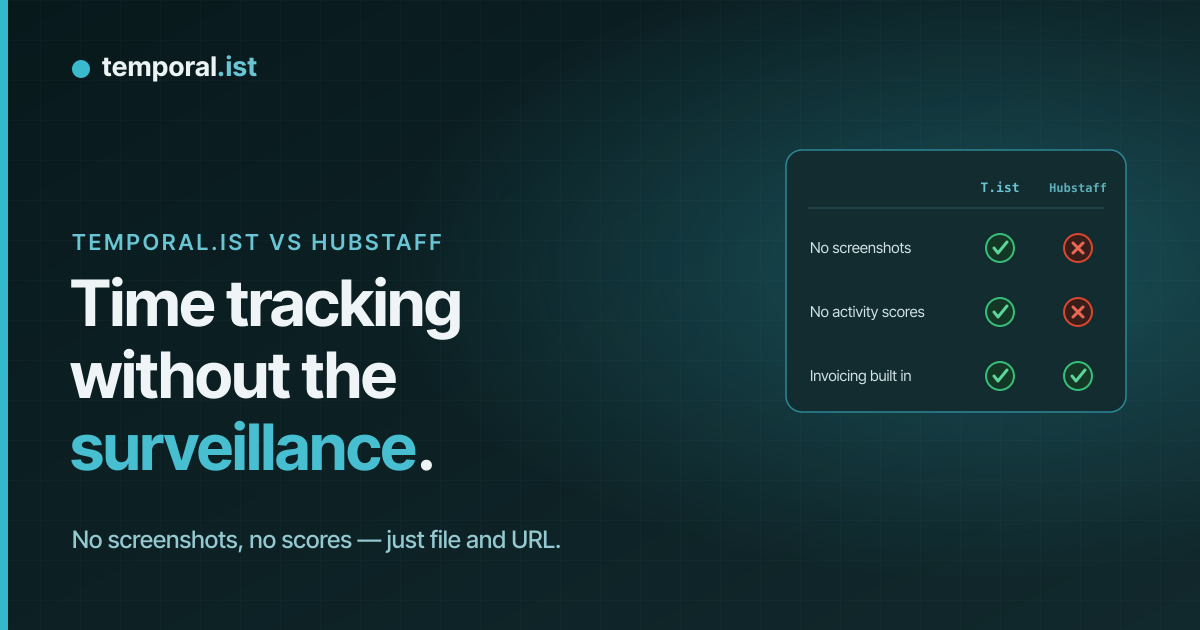
- Hubstaff is built for employer oversight — periodic screenshots, activity percentages, GPS, and keyboard/mouse counts. Temporal.ist tracks time automatically with none of that.
- Both track automatically and both invoice, but Temporal.ist matches time by file path and URL pattern instead of monitoring screens and apps.
- Choose Hubstaff to manage and verify remote teams, run payroll, and track field GPS. Choose Temporal.ist for private, automatic tracking you actually control.
Hubstaff and Temporal.ist both track time automatically and both turn that time into invoices — but they answer different questions. Hubstaff is an employee-monitoring suite built to let managers verify work through periodic screenshots, activity-level percentages, app and URL logging, and GPS. Temporal.ist deliberately leaves all of that out: it attributes time by matching file paths and URLs to your projects, stores only timestamps and metadata (never file contents), and is built for people who want automatic tracking without being watched.
Feature-by-feature
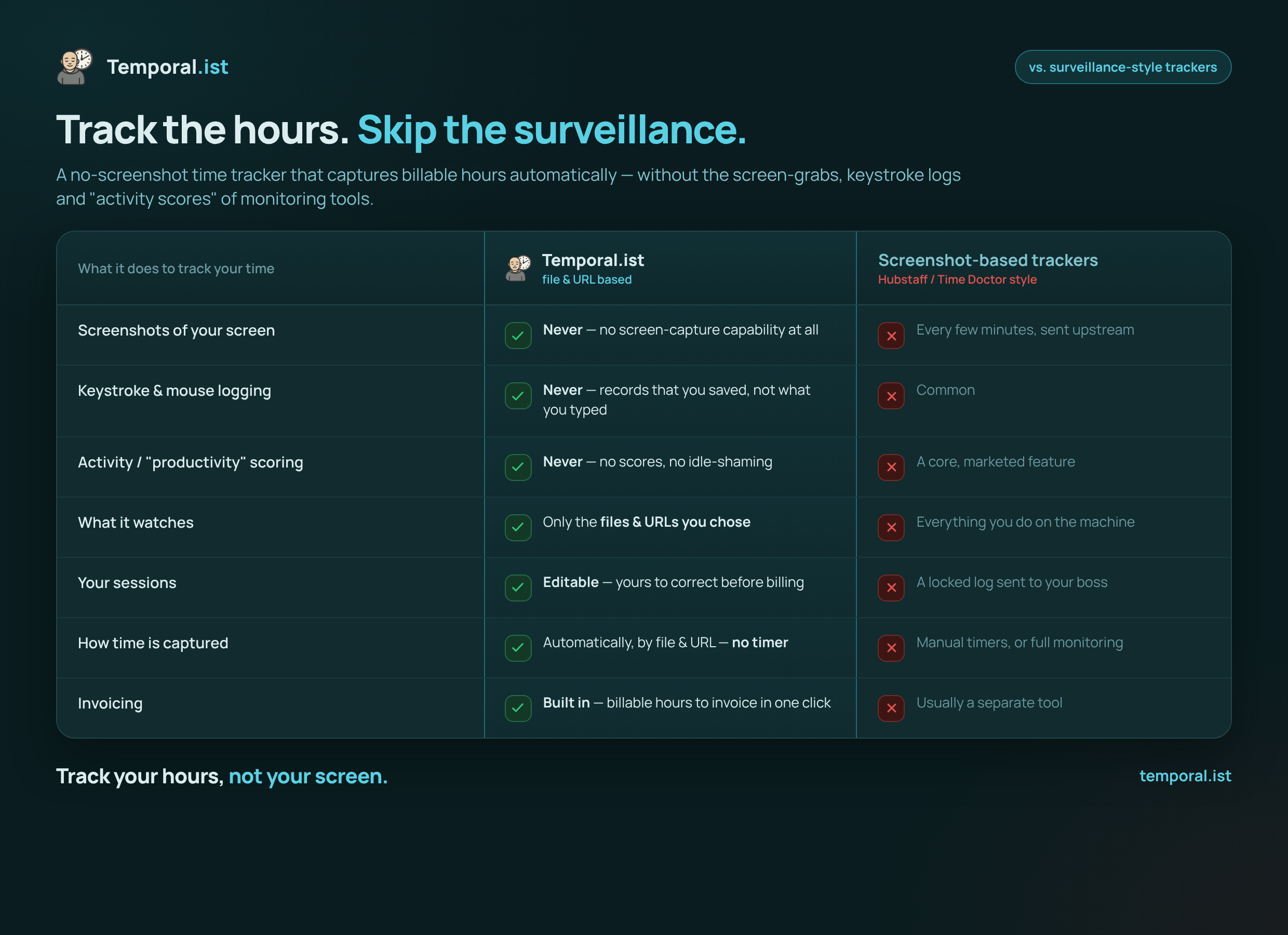
| Feature | Temporal.ist | Hubstaff |
|---|---|---|
Automatic time tracking Tie | Yes — matches file changes and URL patterns to the right project/client | Yes — monitors active apps, windows, and URLs |
Screenshots / screen monitoring We win | Never — no screenshots at all | Periodic screenshots (higher tiers) |
Activity scoring (keyboard/mouse %) We win | None — no productivity scoring or keystroke logging | Yes — activity levels from keyboard/mouse usage |
GPS / geofencing They win | Not offered | Yes — GPS tracking and geofencing for field teams |
Built-in payroll They win | Not offered | Yes — built-in payroll |
Built-in invoicing Tie | Yes — per-client rates, currencies, tax, PDF, auto-numbering | Yes |
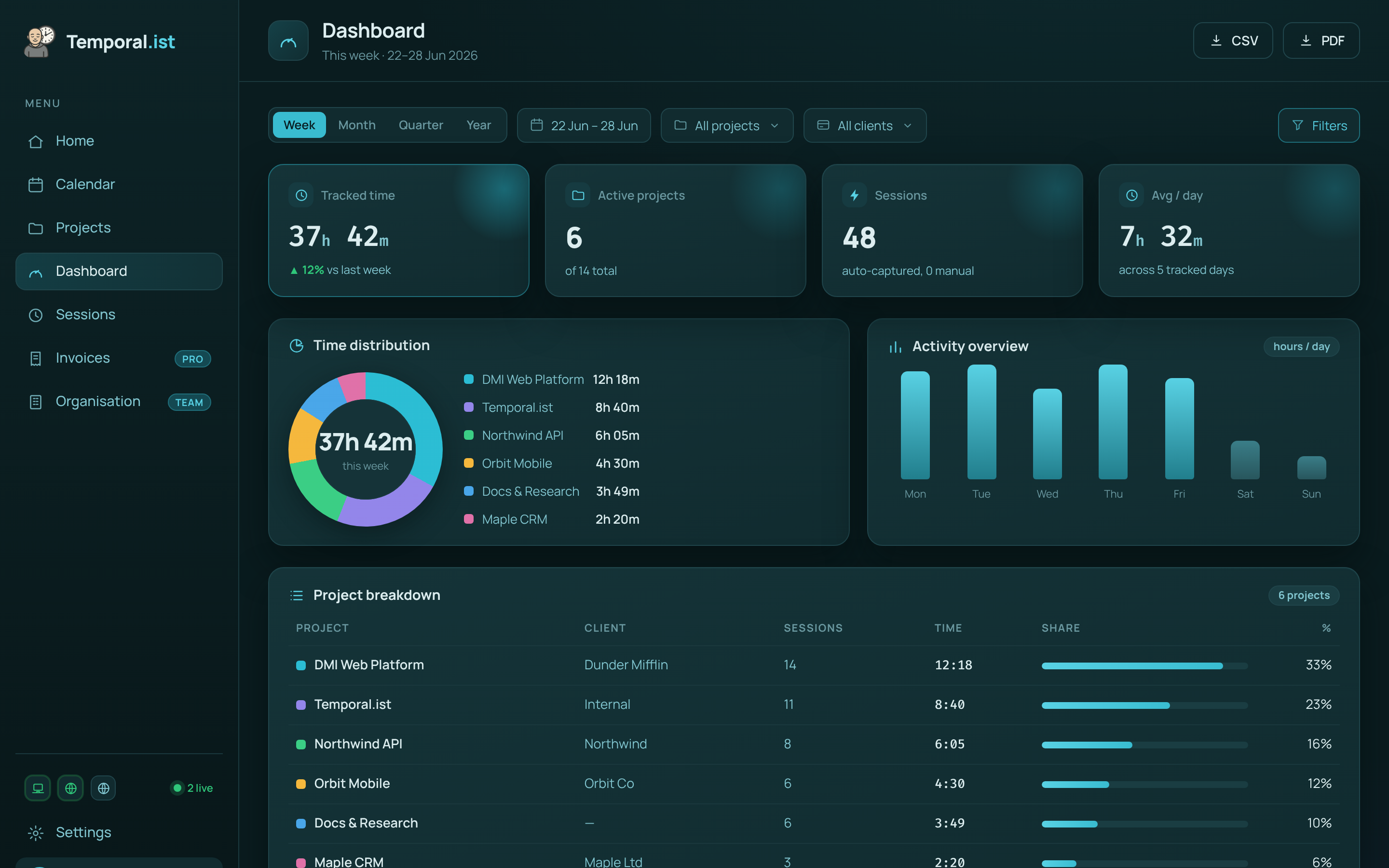
Reporting & analytics depth They win | Time-distribution donut, activity bars, project breakdowns, timesheets, CSV/PDF | Deeper workforce reports plus payroll and monitoring dashboards |
Integrations & ecosystem They win | Fewer — desktop, browser extensions, CLI; smaller ecosystem | Many integrations across project management, accounting, and payroll |
Privacy & data control We win | Stores only timestamps + file/URL; EU residency, GDPR, one-click export & full delete | Surveillance-oriented; stores screenshots and per-employee activity data |
Mobile apps They win | No mobile app yet | iOS and Android apps |
Free plan We win | Solo plan free forever — unlimited folders, no credit card | Free for 1 user only |
Pricing | Free Solo tier; paid Pro & Teams plans | Free (1 user); Starter $4.99/seat/mo billed annually; screenshots, GPS & payroll on higher tiers |
When to choose which
Choose Temporal.ist
Choose Temporal.ist if you, or your team, want automatic time tracking without surveillance. It captures time by matching file changes and URL patterns to projects — never screenshots, keystroke counts, or activity percentages — and stores only timestamps and the file or URL name, never file contents. You get built-in invoicing with per-client rates, currencies and tax, a real-time WebSocket dashboard, offline-first desktop and browser tracking, EU data residency, GDPR-aligned handling, and one-click export or full deletion. It is ideal for freelancers, consultants, and trust-based teams who find monitoring tools invasive and counterproductive, and who want private tracking and billing in one tool. There is even a headless Linux CLI/TUI for terminal-first workflows.
Choose Hubstaff
Choose Hubstaff if you genuinely need workforce monitoring and management. With roughly 140,000 users and years of maturity, it offers periodic screenshots, activity-level scoring, app and URL logging, GPS and geofencing for field crews, built-in payroll, mobile apps for iOS and Android, and a broad library of integrations across project management and accounting. If your organization is contractually or operationally required to verify hours with proof-of-work, manages distributed field teams that need location tracking, or wants payroll and time tracking in one platform, Hubstaff does things Temporal.ist deliberately does not. It is the stronger, more battle-tested pick for traditional employer oversight at scale — and as an established incumbent it has a larger ecosystem than a newer, solo-bootstrapped product like Temporal.ist.
Side-by-side
Frequently asked questions
Is Temporal.ist a good Hubstaff alternative?
Yes, if you want automatic time tracking and invoicing without employee monitoring. Temporal.ist matches time to projects by file path and URL pattern and skips screenshots, activity scores, and GPS entirely. It is not a fit if you specifically need surveillance, payroll, or field-team location tracking — that is Hubstaff's territory.
Does Temporal.ist take screenshots like Hubstaff?
No. Temporal.ist never takes screenshots, never logs keystrokes, and never scores activity. It records only timestamps and which file or URL was active — never file contents. Hubstaff, by contrast, offers periodic screenshots and keyboard/mouse activity percentages on its higher-tier paid plans.
Can I import my data from Hubstaff?
There is no one-click Hubstaff importer today. You can export your Hubstaff time entries and add or edit sessions in Temporal.ist manually, and going forward tracking is automatic once you set up your project file paths and URL patterns. Honest caveat: as a newer indie product, Temporal.ist has fewer migration tools than incumbents.
Is Temporal.ist cheaper than Hubstaff?
For individuals, yes. Temporal.ist's Solo plan is free forever with unlimited folders and no credit card, while Hubstaff's free plan is capped at one user and its paid plans start at $4.99/seat/month billed annually (Starter), with screenshots, GPS, and payroll only on higher tiers. Temporal.ist also offers paid Pro and Teams plans — compare those against Hubstaff's higher tiers if you need team features.
Does Hubstaff track time automatically?
Yes. Hubstaff tracks automatically by monitoring active apps, windows, and URLs, and can capture periodic screenshots and activity levels as proof of work. Temporal.ist is also automatic but uses a different, privacy-first mechanism: it matches file changes and URL patterns to projects, with no screen or app surveillance.
What does Temporal.ist do that Hubstaff doesn't?
Temporal.ist tracks automatically with zero surveillance — no screenshots, activity scoring, or GPS — and stores only timestamps plus file/URL metadata, with EU data residency and one-click delete. It also includes a headless Linux CLI/TUI. Hubstaff, in turn, offers monitoring, payroll, GPS, mobile apps, and far more integrations.
Ready to stop reconstructing your week?
Track time automatically. Bill clients in the same tool. No surveillance, ever.
Start tracking free