
Comparison
Temporal.ist vs Memtime: Auto Time Tracking & Invoicing
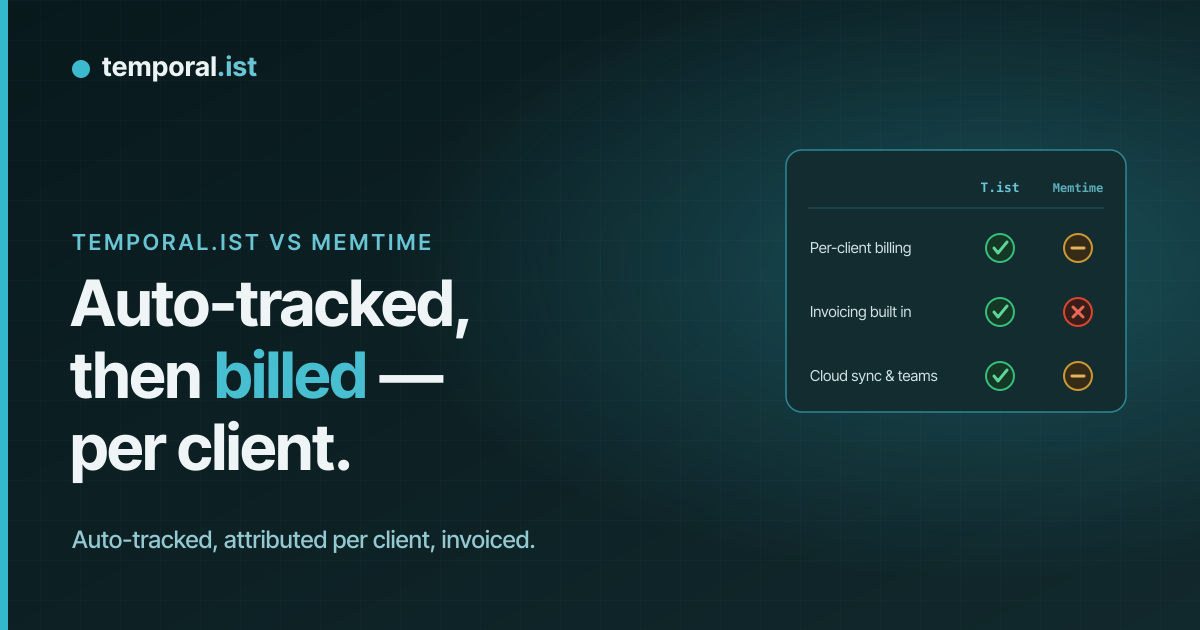
- Both track automatically with no screenshots; the real gap is attribution — Temporal.ist auto-assigns time by file/URL pattern, while Memtime makes you sort its timeline manually.
- Temporal.ist bundles invoicing (rates, tax, PDF) and a free Solo tier; Memtime has neither — it leans on billing integrations and starts around €12/user per month, billed annually.
- Memtime still wins on maturity (~5,000 clients), its capture-everything timeline, and deeper PM/billing integrations; Temporal.ist is the newer, leaner, free-to-start pick.
Memtime and Temporal.ist are both privacy-respecting automatic time trackers — neither takes screenshots or scores your productivity. The difference is what happens after tracking: Memtime records a complete passive timeline of everything on your machine and asks you to turn it into time entries, while Temporal.ist auto-attributes activity to the right project and client by matching file and URL patterns, then turns billable time into invoices. Memtime is the more mature, capture-everything tool; Temporal.ist is the newer option built around automatic attribution, built-in billing, and a free tier.
Feature-by-feature
| Feature | Temporal.ist | Memtime |
|---|---|---|
Automatic tracking Tie | Yes — watches file changes and matched URL patterns | Yes — records all apps, documents and browser activity |
What gets captured They win | Only activity that touches watched files or matched URL patterns | Everything on your machine, passively and offline |
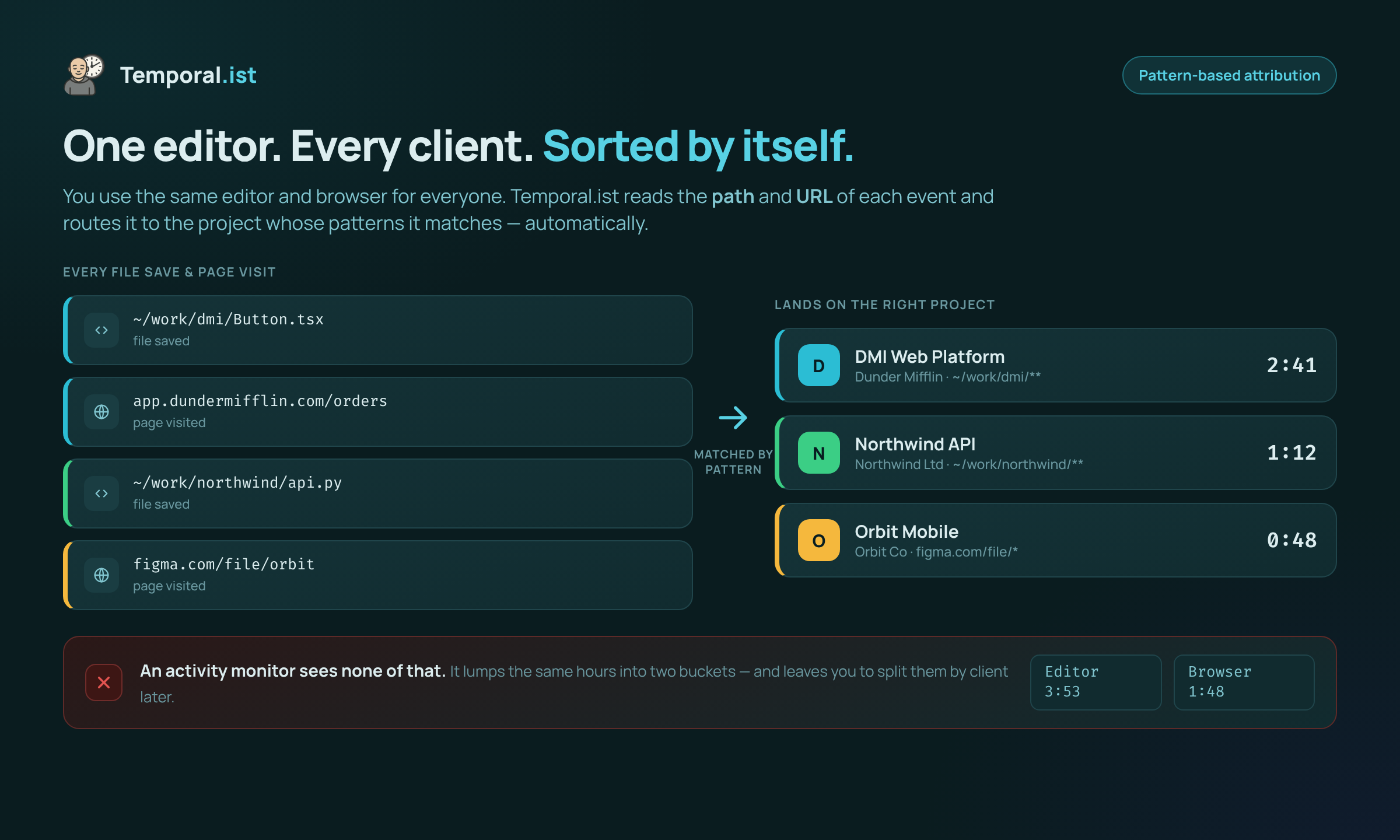
Automatic project/client attribution We win | Automatic by file path and URL pattern | Manual — you sort the timeline into entries yourself |
Screenshots & employee monitoring Tie | None | None |
Privacy & data location Tie | Stores only timestamps + file/URL (never file contents); EU residency, GDPR, one-click export & delete | Local-first — data stays on your machine, fully offline |
Built-in invoicing We win | Yes — per-client rates, currencies, tax, PDF, auto-numbering | No — integrates with billing tools (e.g. DATEV) |
Integrations (PM & billing) They win | Fewer — newer, smaller ecosystem | Many established PM/billing integrations |
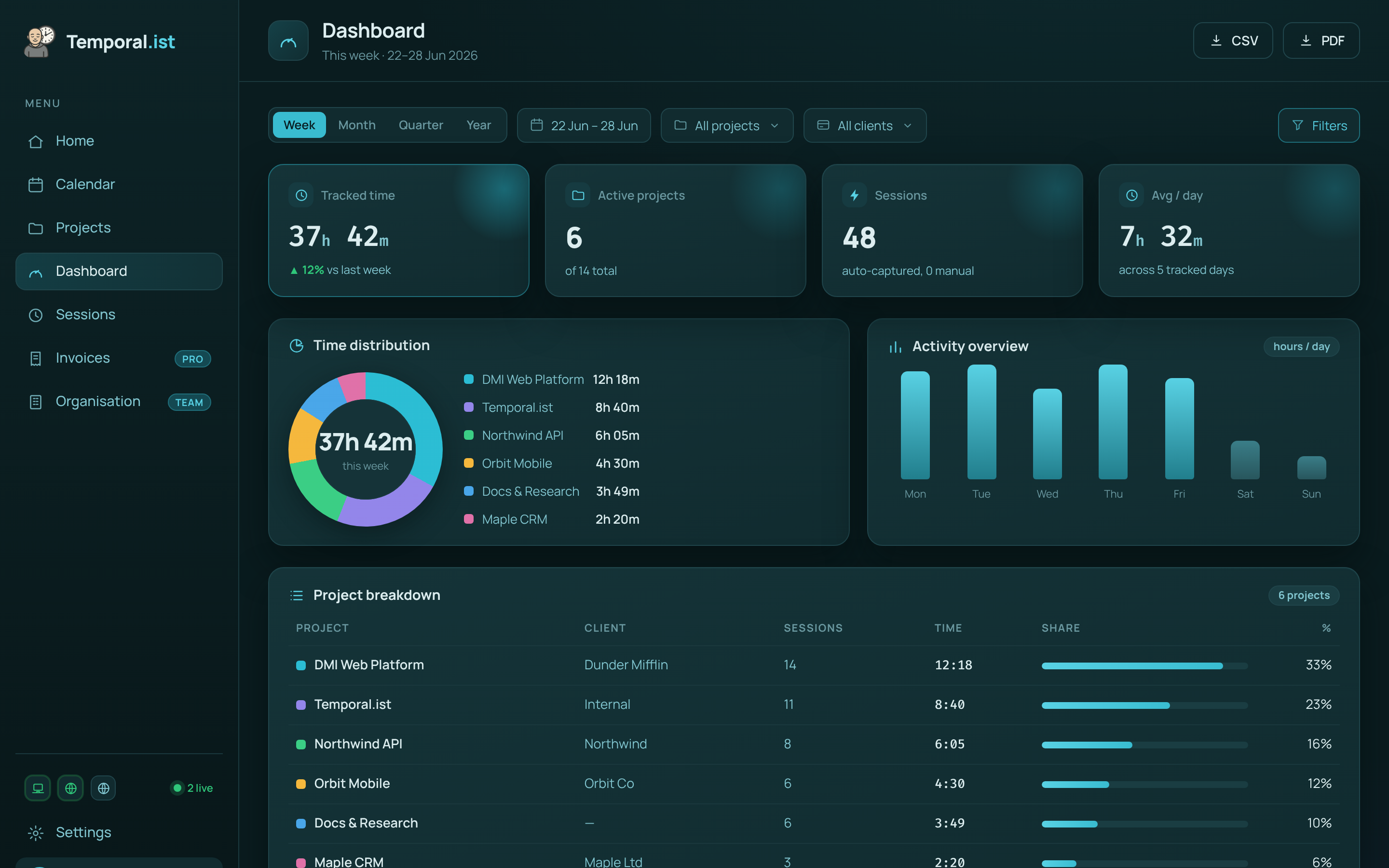
Reporting & analytics Tie | Time-distribution donut, activity bars, project breakdowns, timesheets, CSV/PDF | Timeline view, reports and exports to connected tools |
Platforms We win | Windows, macOS, Linux/AppImage, browser extensions, web dashboard, headless CLI/TUI; no mobile app yet | Windows and macOS desktop; no mobile app |
Maturity & adoption They win | Newer, solo-bootstrapped indie product | ~5,000 business clients across 90 countries |
Free plan We win | Yes — Solo free forever, unlimited folders, no credit card | No free plan |
Pricing We win | Free Solo tier; paid Pro & Teams plans | ~€12/user/mo billed annually (~€10 on a 2-year term) |
When to choose which
Choose Temporal.ist
Choose Temporal.ist if you want tracked time to sort itself. Because it matches file paths and URLs to per-project patterns, sessions land on the right project and client automatically — no daily timeline triage. It's also the better fit if you bill clients directly: invoicing is built in, with per-client rates, currencies, tax, PDF export and auto-numbering, so you go from tracked hours to a sent invoice without leaving the app or paying for a separate billing tool. And it's free to start — the Solo plan is free forever with unlimited folders and no credit card, with paid Pro and Teams plans when you grow. If you also live across the web dashboard, browser extensions, a headless CLI/TUI and desktop, the broader surface area helps too.
Choose Memtime
Choose Memtime if capturing everything matters more than automatic attribution. Memtime passively records all of your apps, documents and browser activity locally, so work that never touches a watched file or matched URL — reading, calls, design and video tools, meetings — still lands on your timeline to recover and bill later. Temporal.ist can miss that kind of activity unless a URL pattern catches it, so heavy non-file work is a genuine reason to prefer Memtime. It's also the more proven choice: roughly 5,000 business clients across 90 countries, a mature local-first privacy model where data never leaves your machine and works fully offline, and deeper, established integrations into PM and billing systems like DATEV. If you already invoice through your accounting or PM stack and want a recall-everything timeline from a long-running vendor rather than built-in billing and automatic attribution, Memtime is the safer pick — even without a free plan, its roughly €12/user per month (billed annually) buys a comprehensive, battle-tested timeline.
Side-by-side
Frequently asked questions
Is Temporal.ist a good Memtime alternative?
Yes, if your work mostly happens in files and browser tabs and you want time attributed automatically. Temporal.ist matches file paths and URLs to projects and clients for you, includes built-in invoicing, and has a free Solo tier. Memtime remains the better fit if you need a complete passive record of every app and document on your machine, regardless of whether it touches a tracked file.
Does Temporal.ist or Memtime take screenshots?
Neither tool takes screenshots — this is a point both get right. Memtime keeps a private local activity timeline, and Temporal.ist stores only timestamps plus which file or URL was active, never file contents, keystrokes, or productivity scores. Sessions are editable, and Temporal.ist adds EU data residency with one-click export and full deletion under GDPR.
Can I import my data from Memtime?
There's no one-click Memtime importer in Temporal.ist today. Because Memtime's timeline lives locally and you finalize entries manually, the practical path is to export your completed entries from Memtime and add or edit sessions in Temporal.ist, which are fully editable. Going forward, Temporal.ist tracks and attributes time automatically, so there's very little manual entry to maintain.
Is Temporal.ist cheaper than Memtime?
For most individuals, yes. Temporal.ist's Solo plan is free forever with unlimited folders and no credit card, with paid Pro and Teams plans for more. Memtime has no free plan and runs about €12 per user per month billed annually (around €10 on a two-year term). Because invoicing is built into Temporal.ist, you may also avoid paying for a separate billing tool.
Does Memtime track time automatically?
Yes, but differently. Memtime automatically records a passive timeline of all your apps, documents and browser activity, then you turn that timeline into time entries yourself — there's no automatic project or client attribution by pattern. Temporal.ist automates that final step by matching file paths and URLs to the correct project and client, so entries are categorized for you.
What's the biggest difference between Temporal.ist and Memtime?
Attribution and billing. Memtime captures everything and asks you to sort it; Temporal.ist auto-assigns time to projects and clients by file/URL pattern and turns billable hours into invoices in-app, with a free tier to start. Memtime counters with more complete capture of non-file work, greater maturity, and deeper third-party PM and billing integrations.
Ready to stop reconstructing your week?
Track time automatically. Bill clients in the same tool. No surveillance, ever.
Start tracking free