
Comparison
Temporal.ist vs Timing: Cross-Platform Timing Alternative
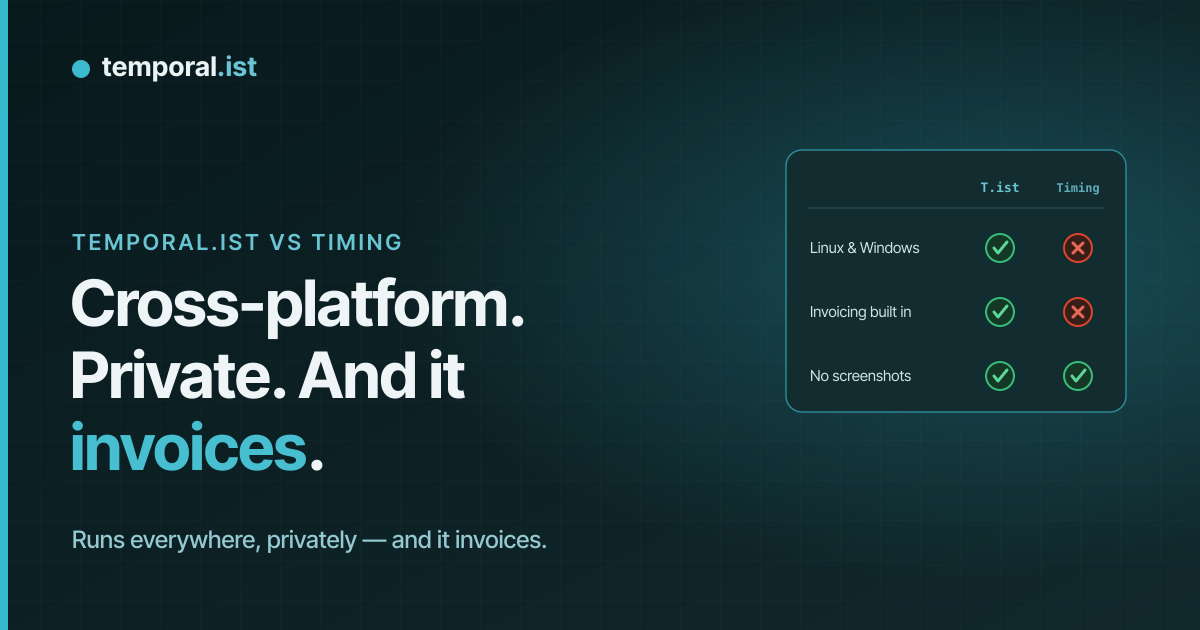
- Temporal.ist tracks across Windows, macOS, Linux and four browsers with built-in invoicing and a free Solo tier; Timing is a polished Mac-only tracker with no free plan.
- Both avoid screenshots and respect privacy; the real split is cross-platform reach plus invoicing versus Timing's deep Mac timeline reporting and longer track record.
- Choose Temporal.ist if you work beyond macOS or bill clients; choose Timing if you live entirely on a Mac and want native timeline reporting.
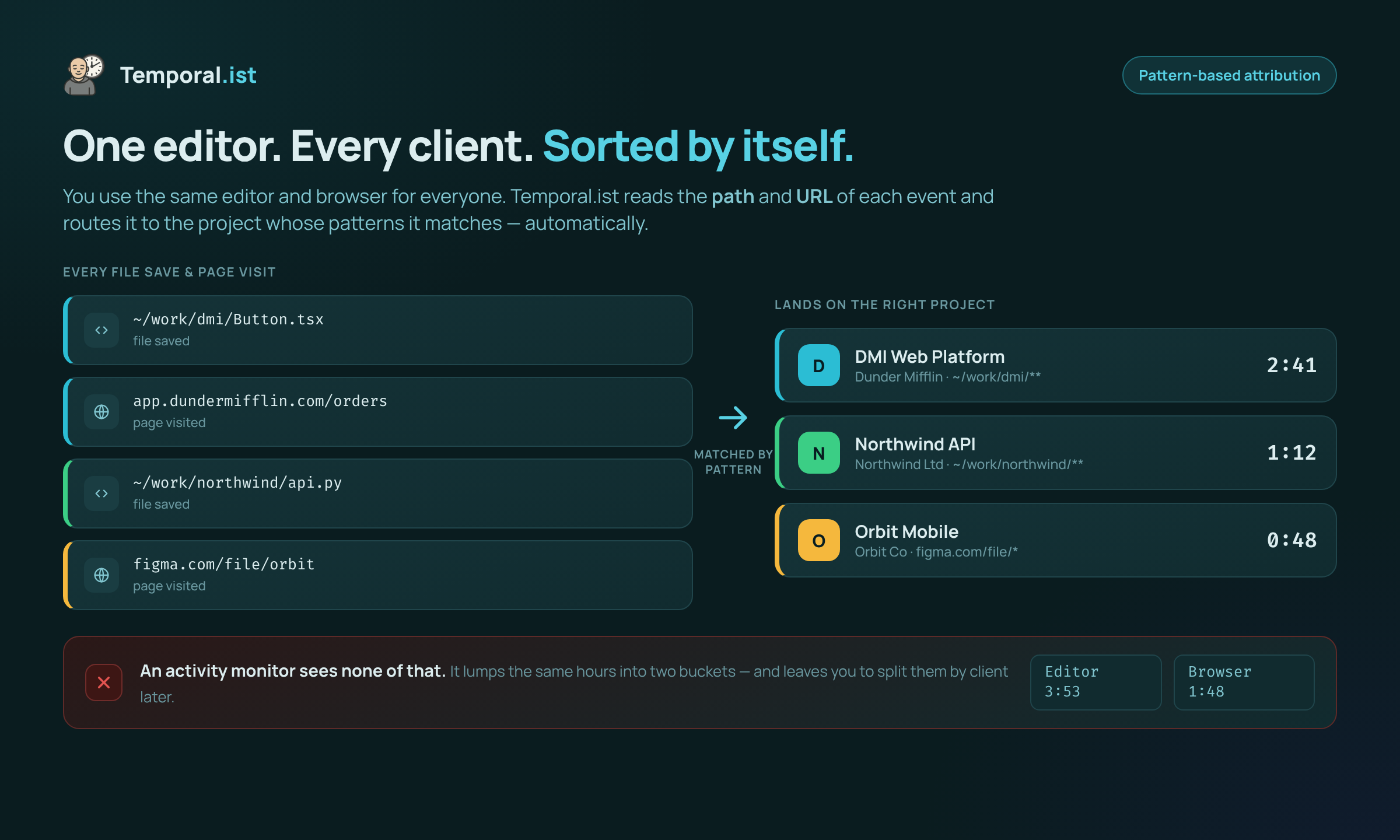
Timing is one of the best automatic time trackers on macOS — it watches the apps, documents and websites you use and applies rules to sort that activity into projects, all without a single screenshot. Temporal.ist takes a different route: it attributes time by matching file paths and browser URLs to per-project patterns, and it runs on Windows, Linux and macOS plus four browsers, with invoicing and a free Solo tier built in. If you're 100% Mac this is a genuinely close call; if you're not, or you bill clients, the gap widens fast.
Feature-by-feature
| Feature | Temporal.ist | Timing |
|---|---|---|
Automatic time tracking Tie | Yes — tracks file changes and browser URLs, no timer needed | Yes — tracks app, document and website usage automatically |
Tracking mechanism | File-path + browser-URL attribution to per-project patterns (cross-platform) | App/window + rules-based auto-categorization (macOS-native) |
Screenshots / activity monitoring Tie | Never — no screenshots, keystroke logging or productivity scoring | No screenshots — monitors app, document and website usage |
Built-in invoicing We win | Yes — per-client rates, currencies, tax, PDF export, auto-numbering | No — only via export or integration |
Platforms We win | Windows, macOS, Linux, AppImage + headless Linux CLI/TUI | macOS only |
Browser extensions We win | Chrome, Edge, Firefox, Safari with URL-pattern tracking | None — browser usage tracked by the Mac app |
Mobile apps Tie | None yet | None |
Free plan We win | Free Solo tier, forever — unlimited folders, no credit card | No free plan (trial only) |
Pricing We win | Free Solo tier; paid Pro & Teams plans | ~$9/mo billed annually (~$108/yr) and up |
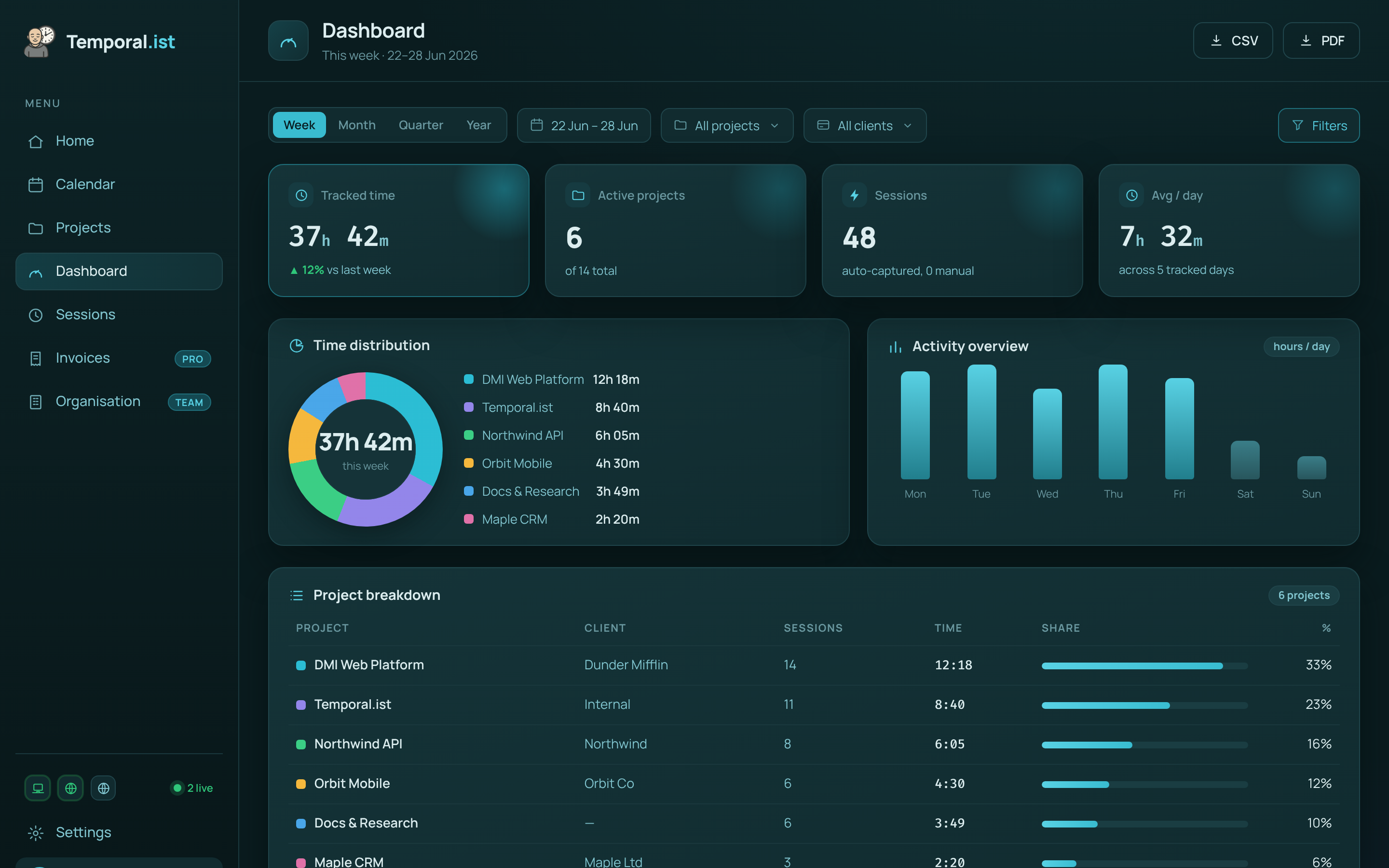
Reporting & timeline depth They win | Time-distribution donut, activity bars, daily timesheets, CSV/PDF reports | Detailed visual timeline + mature, refined productivity reports |
Maturity & ecosystem They win | Newer, solo-built indie product; fewer integrations | Established, tens of thousands of users, rich native Mac ecosystem |
Privacy & data control Tie | EU data residency, GDPR-aligned, one-click export + full delete | Privacy-friendly, local-first Mac app |
When to choose which
Choose Temporal.ist
Choose Temporal.ist if your work touches more than macOS — Windows, Linux, an AppImage, or a headless CLI on a server — because Timing simply doesn't run there. Pick it if you bill clients and want invoicing built in rather than bolted on: per-client rates, currencies, tax, PDF export and auto-numbering live in the same app that tracks your time. It's also the better fit if you want automatic tracking tied to specific file paths and browser URLs across Chrome, Edge, Firefox and Safari, or if you want to start free forever on the Solo tier with no credit card. And if EU data residency, GDPR-aligned storage, editable sessions, and one-click export or full delete matter to you, those are first-class here.
Choose Timing
Choose Timing if you work entirely on a Mac and want the most polished native automatic tracker available. It tracks every app, document and website system-wide and uses a genuinely excellent rules engine to auto-categorize that activity into projects — no manual timers, no screenshots. Its visual timeline and productivity reports are more mature, detailed and refined than ours, backed by years of focused macOS development and a user base in the tens of thousands. Because it's a local-first Mac app, your data stays on your machine, so you're not trading privacy for that polish. If macOS is your whole world, you don't need Windows, Linux or cross-browser extension tracking, and you're comfortable handling invoicing through Timing's export or a third-party integration, it's a safe, well-supported choice — and one a newer, solo-built indie product like ours can't yet match on native-Mac depth, reporting maturity or ecosystem.
Side-by-side
Frequently asked questions
Is Temporal.ist a good Timing alternative?
Yes, especially if you've outgrown macOS-only tracking. Temporal.ist shares the same automatic, no-screenshot philosophy but runs on Windows, macOS, Linux and AppImage plus Chrome, Edge, Firefox and Safari, and adds built-in invoicing and a free Solo tier. The honest trade-off is maturity: Timing's native Mac timeline and reporting are deeper, and its ecosystem is larger.
Does Temporal.ist or Timing take screenshots?
Neither. Both are privacy-respecting trackers — no screenshots. Temporal.ist also avoids keystroke logging and productivity scoring, storing only timestamps plus which file or URL was active (never file contents), with EU data residency, GDPR-aligned storage, editable sessions and one-click export or delete.
Does Temporal.ist work on Windows and Linux?
Yes. Timing is macOS-only, which is its biggest limitation if you switch machines or work on a team with mixed hardware. Temporal.ist has desktop clients for Windows, macOS, Linux and AppImage (with self-update), a headless Linux CLI/TUI, browser extensions for all four major browsers, and a web dashboard.
Can I import my data from Timing?
Timing can export your activity to CSV, and Temporal.ist sessions are fully editable so you can add historical entries by hand. There isn't a one-click Timing importer today, so treat a switch as a fresh start with the option to backfill key sessions manually. Your Temporal.ist data is always yours — export or delete it anytime.
Is Temporal.ist cheaper than Timing?
It can be free. Timing has no free plan and starts around $9/month billed annually (about $108/year) and up. Temporal.ist has a Solo tier that's free forever with unlimited folders and no credit card, plus paid Pro and Teams plans if you need more.
Does Timing track time automatically?
Yes — Timing automatically records which apps, documents and websites you use on your Mac and applies rules to assign that activity to projects, with no manual timer. Temporal.ist is also automatic but attributes time by matching file paths and browser URLs to per-project patterns, which is what lets it work across operating systems and browsers.
Ready to stop reconstructing your week?
Track time automatically. Bill clients in the same tool. No surveillance, ever.
Start tracking free