
Comparison
Temporal.ist vs Harvest: Automatic vs Manual Time Tracking
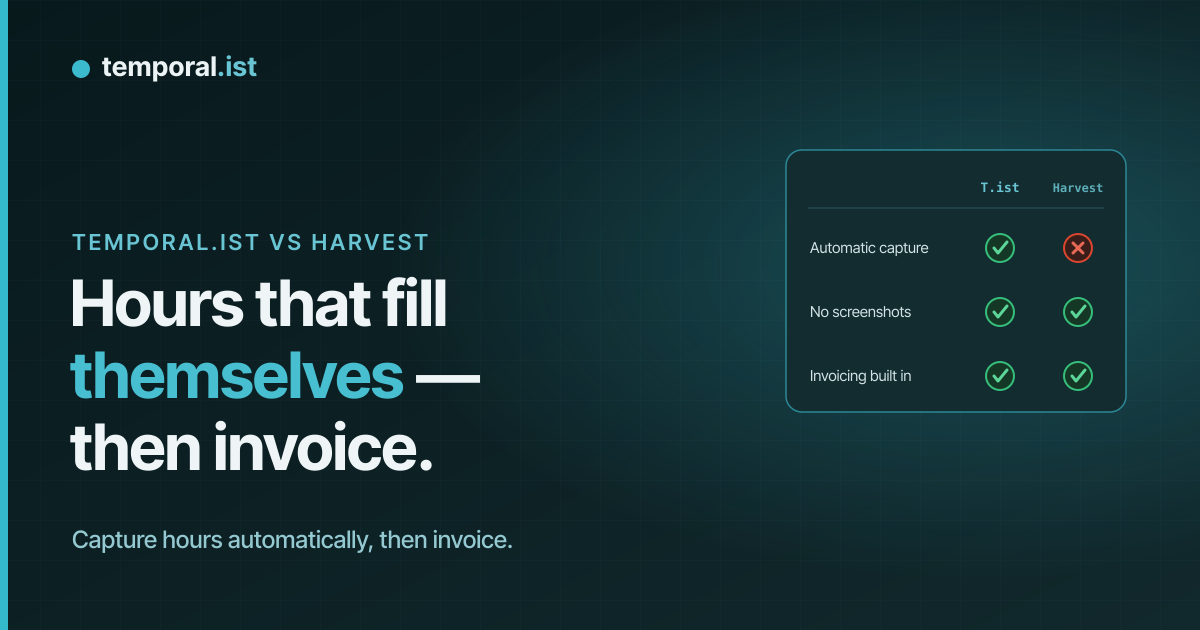
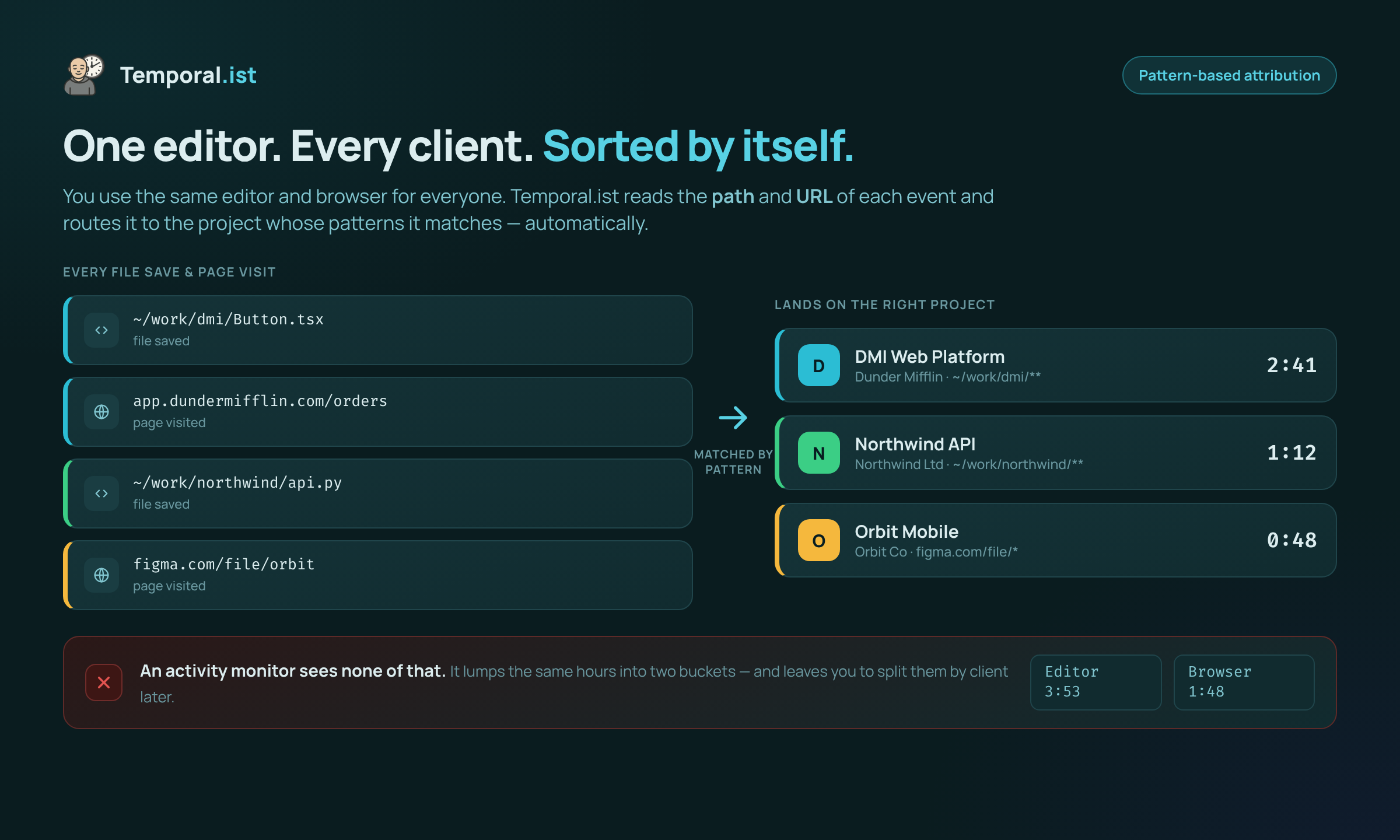
- Temporal.ist tracks time automatically by matching file changes and browser URLs to projects; Harvest relies entirely on manual start/stop timers you have to remember.
- Harvest wins on billing depth, expenses, payment links, QuickBooks/Xero sync and mobile apps — a proven incumbent used by ~70,000 companies.
- Pick Temporal.ist for hands-off, privacy-first automatic tracking and a free Solo tier; pick Harvest for accounting-grade invoicing and a larger ecosystem.
Harvest and Temporal.ist both track billable time and turn it into invoices, but they start from opposite ends. Harvest is a mature, accounting-focused tool built around manual timers you start and stop, with deep invoicing, expense tracking and integrations. Temporal.ist is a newer, privacy-first tool that captures time automatically from your file changes and browser URLs, so there's no timer to forget — with built-in invoicing of its own.
Feature-by-feature
| Feature | Temporal.ist | Harvest |
|---|---|---|
Automatic time tracking We win | Automatic — matches file changes (desktop) and browser URLs to the right project/client | Manual start/stop timers only — no automatic capture |
Screenshots / monitoring Tie | None — no screenshots, keystroke logging or productivity scoring | None — no screenshots |
Built-in invoicing They win | Yes — per-client rates, tax, currencies, PDF export, auto-numbering, draft/sent/paid/overdue | Yes, and more mature — templates, recurring invoices, retainer reports |
Payments & expenses They win | Invoicing only — no payment links or expense tracking | Stripe/PayPal payment links + receipt-upload expense tracking |
Accounting integrations They win | Fewer integrations (newer, solo-bootstrapped product) | Two-way QuickBooks & Xero, plus a large integration ecosystem |
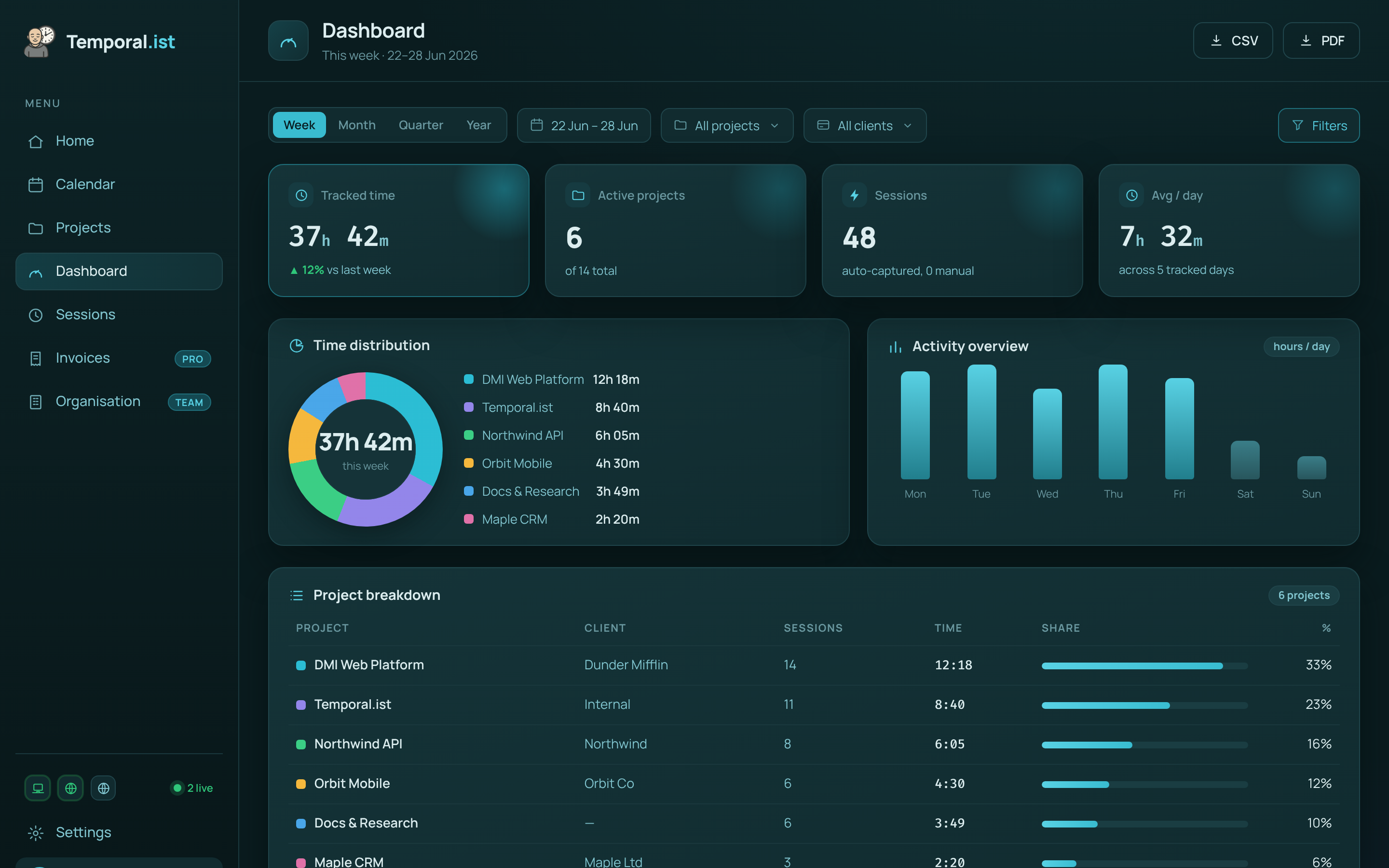
Reporting depth They win | Time-distribution donut, activity bars, project breakdowns, timesheets, CSV/PDF reports | Agency-grade retainer, expense and budget reports |
Mobile apps They win | None yet (desktop + browser extensions + headless CLI/TUI) | Native iOS & Android apps |
Platforms Tie | Windows/macOS/Linux/AppImage desktop, Chrome/Edge/Firefox/Safari extensions, web, CLI/TUI | Web, desktop and mobile apps |
Offline tracking We win | Yes — local SQLite, works offline and syncs later | Cloud-based SaaS — not built local-first |
Free plan We win | Solo free forever — unlimited folders, no credit card | Free for 1 seat / 2 projects |
Paid pricing | Free Solo tier; paid Pro & Teams plans | Pro ~$11-12/seat/mo monthly (~$9/seat/mo billed annually) |
Privacy & data residency We win | EU data residency, GDPR-aligned, one-click export + full delete; stores only timestamps + file/URL | US-based; standard privacy controls |
When to choose which
Choose Temporal.ist
Choose Temporal.ist if you forget to start timers and want time captured automatically. The desktop client watches the folders you pick and the browser extensions match URL patterns, attributing every minute to the right project and client without a running stopwatch (manual entry is still available when you need it). It's a strong fit for developers, freelancers and small teams who care about privacy: no screenshots, no keystroke logging, no productivity scoring, EU data residency and GDPR-aligned one-click export and full delete. The Solo plan is free forever with unlimited folders and no credit card, it works offline with local SQLite, the dashboard updates in real time over WebSocket, and you still get built-in invoicing with per-client rates, tax, currencies, PDF export and auto-numbering.
Choose Harvest
Choose Harvest if billing and accounting depth matter more than automatic capture. With roughly 70,000 companies, it's a proven incumbent whose invoicing is more mature than ours: recurring invoices, Stripe and PayPal payment links, receipt-upload expense tracking, retainer reports and two-way QuickBooks and Xero sync. It also has native iOS and Android apps, which Temporal.ist does not offer yet, plus a much larger integration ecosystem and years of agency-tested reporting. If your team is comfortable starting and stopping timers manually, needs expense and retainer workflows, or wants mobile time entry on the go, Harvest is the safer, more established pick.
Side-by-side
Frequently asked questions
Is Temporal.ist a good Harvest alternative?
Yes, especially if you want automatic tracking. Temporal.ist captures time from file changes and browser URLs instead of manual timers, and it includes built-in invoicing. Harvest still leads on accounting integrations, expenses, payments and mobile apps, so the best choice depends on whether you value hands-off capture or billing depth more.
Does Harvest track time automatically?
No. Harvest uses manual start/stop timers, so you have to remember to start and stop them for each task. Temporal.ist tracks automatically by matching file paths and browser URL patterns to your projects, and still lets you add or edit entries manually.
Does Temporal.ist take screenshots or monitor my activity?
No. Neither Temporal.ist nor Harvest takes screenshots. Temporal.ist stores only timestamps and which file or URL was active — never file contents — with no keystroke logging and no productivity scoring. All sessions are editable, and you can export or delete your data at any time.
Can I import my data from Harvest?
Temporal.ist doesn't offer a one-click Harvest importer today, since it's a newer, solo-bootstrapped product. A common approach is to keep historical invoices and reports in Harvest while letting Temporal.ist track new time automatically going forward.
Is Temporal.ist cheaper than Harvest?
Temporal.ist's Solo plan is free forever with unlimited folders and no credit card. Harvest is free for 1 seat and 2 projects, then about $11-12 per seat per month (roughly $9 per seat billed annually). Temporal.ist also offers paid Pro and Teams plans for larger needs.
Does Temporal.ist do invoicing like Harvest?
Yes. Temporal.ist turns billable sessions into invoices with per-client rates, currencies, tax, PDF export, auto-numbering and draft/sent/paid/overdue statuses. Harvest's billing is more mature, adding recurring invoices, Stripe/PayPal payment links, expense tracking and two-way QuickBooks and Xero sync.
Ready to stop reconstructing your week?
Track time automatically. Bill clients in the same tool. No surveillance, ever.
Start tracking free